
How to Create a Comprehensive Farming Plan
Create a comprehensive Farming Plan in Shrimpl to organize your farming cycle, assign tasks, and keep your team aligned from start to finish.
Step 1: Open the Plan Store from the main dashboard.
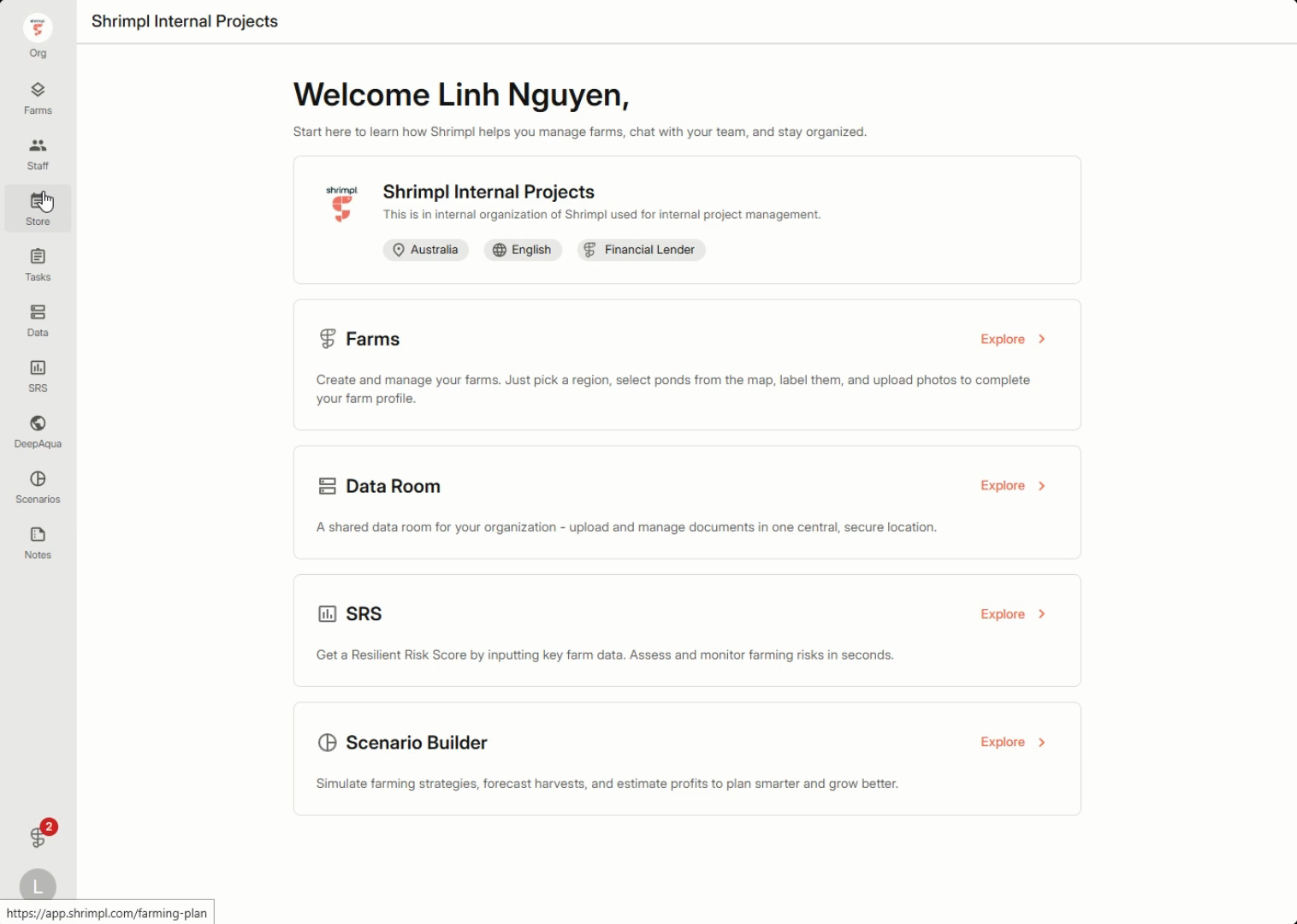
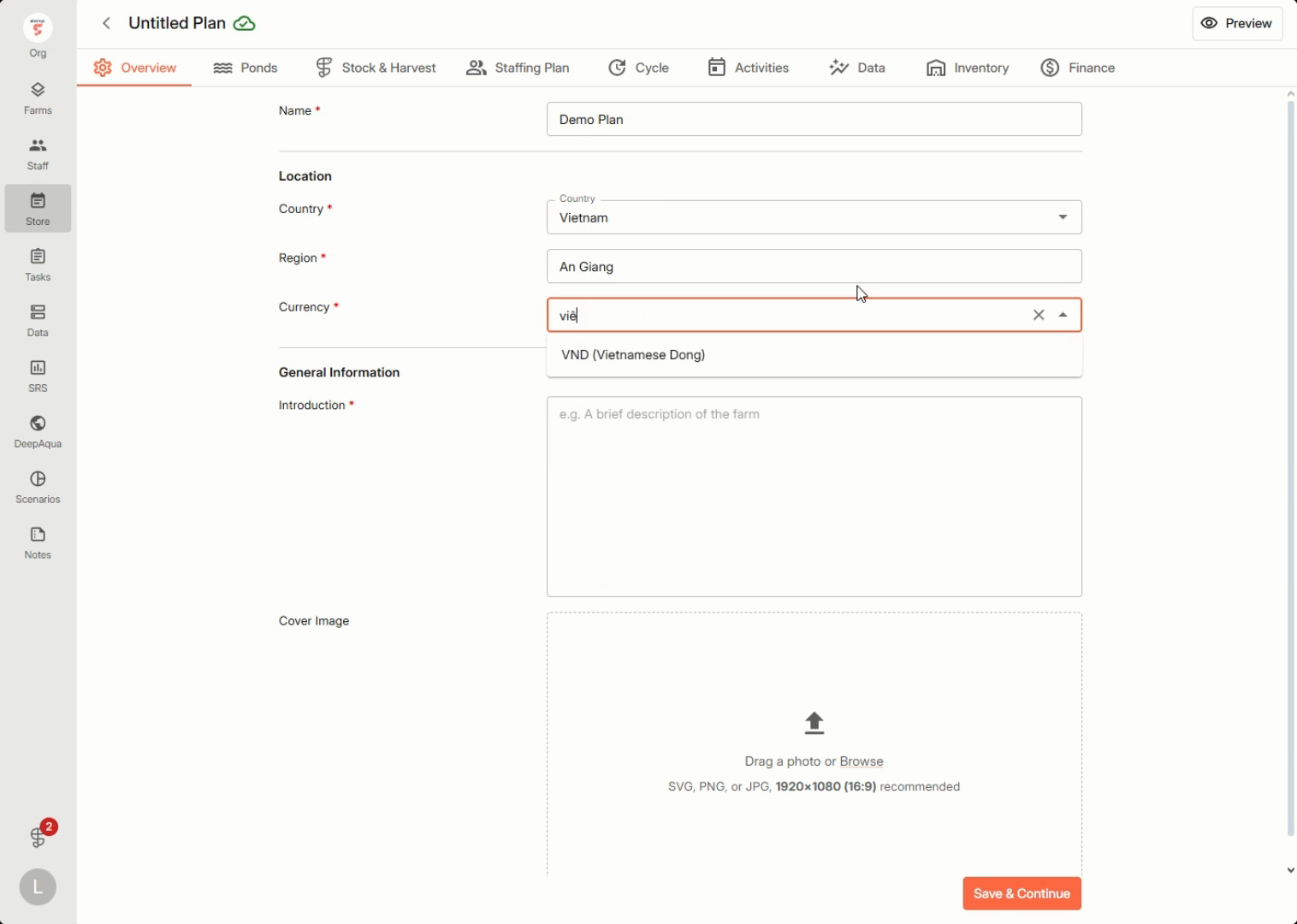
Step 2: Select Create New and fill in the setup details for your new plan.
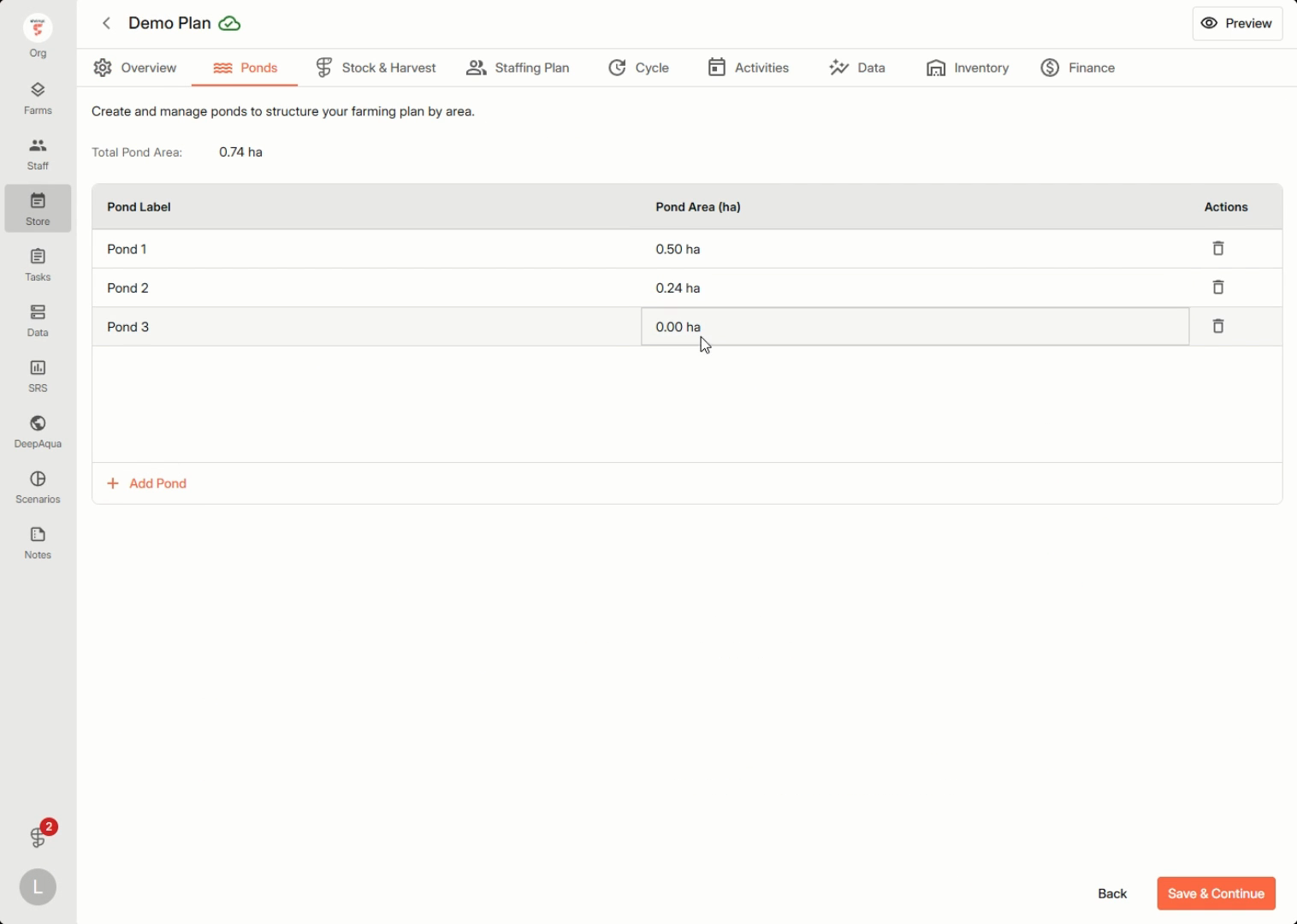
Step 3: Go to Ponds to add and edit pond information, including all necessary metrics and details for your upcoming cycle.
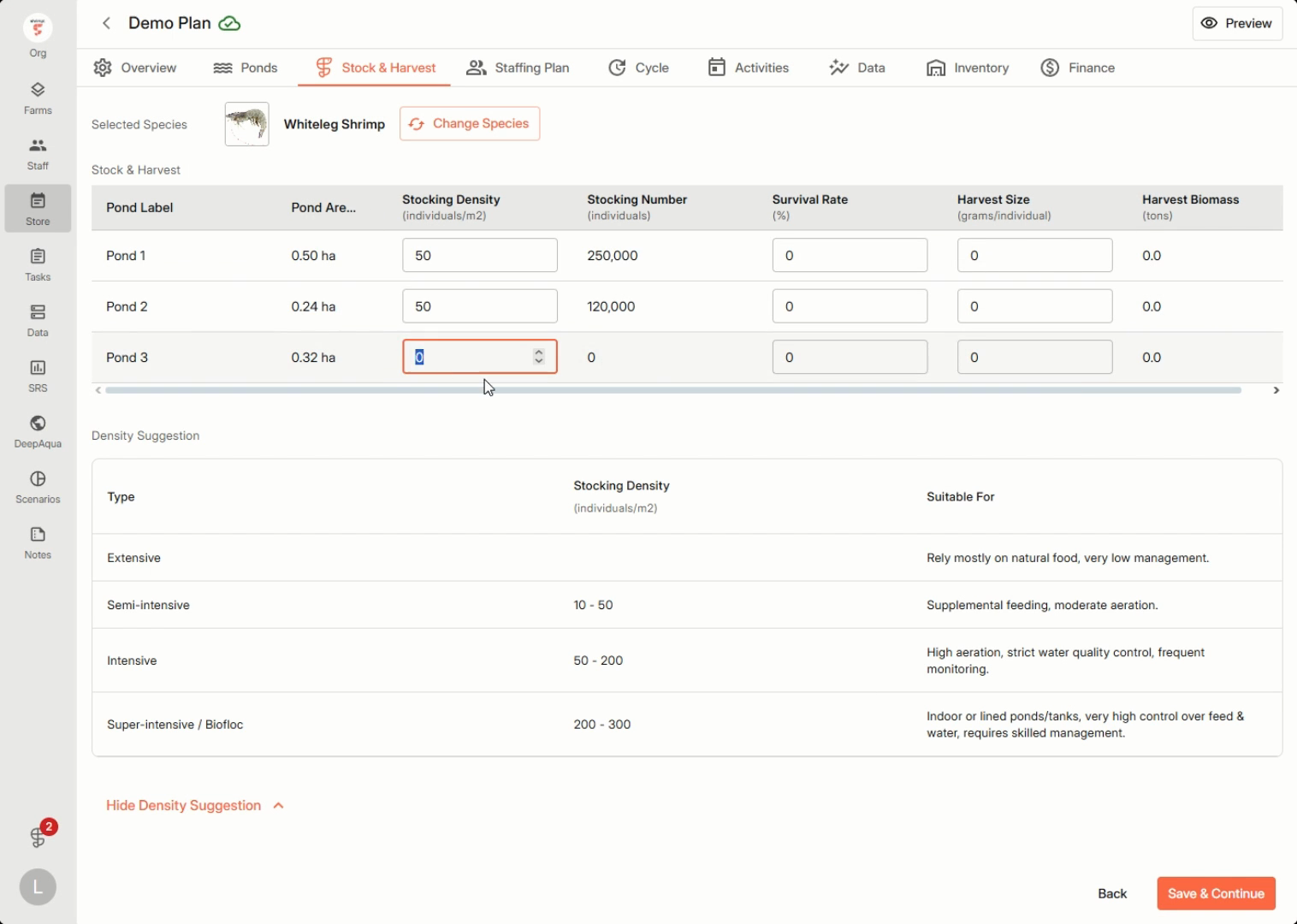
Step 4: Set up the Stocking Plan and estimate your harvest metrics for the cycle.
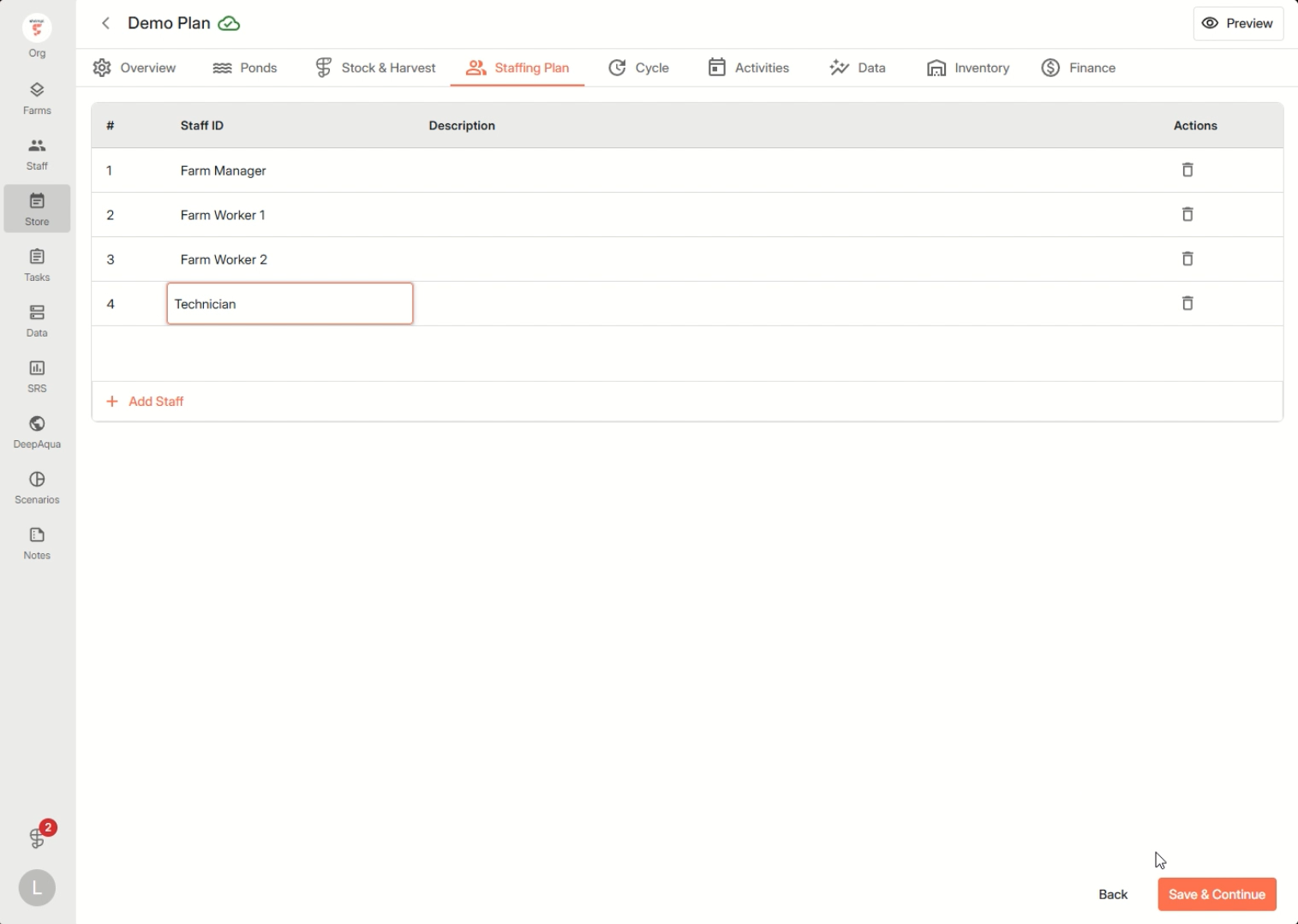
Step 5: Plan staff for the cycle by defining each role and providing clear descriptions.
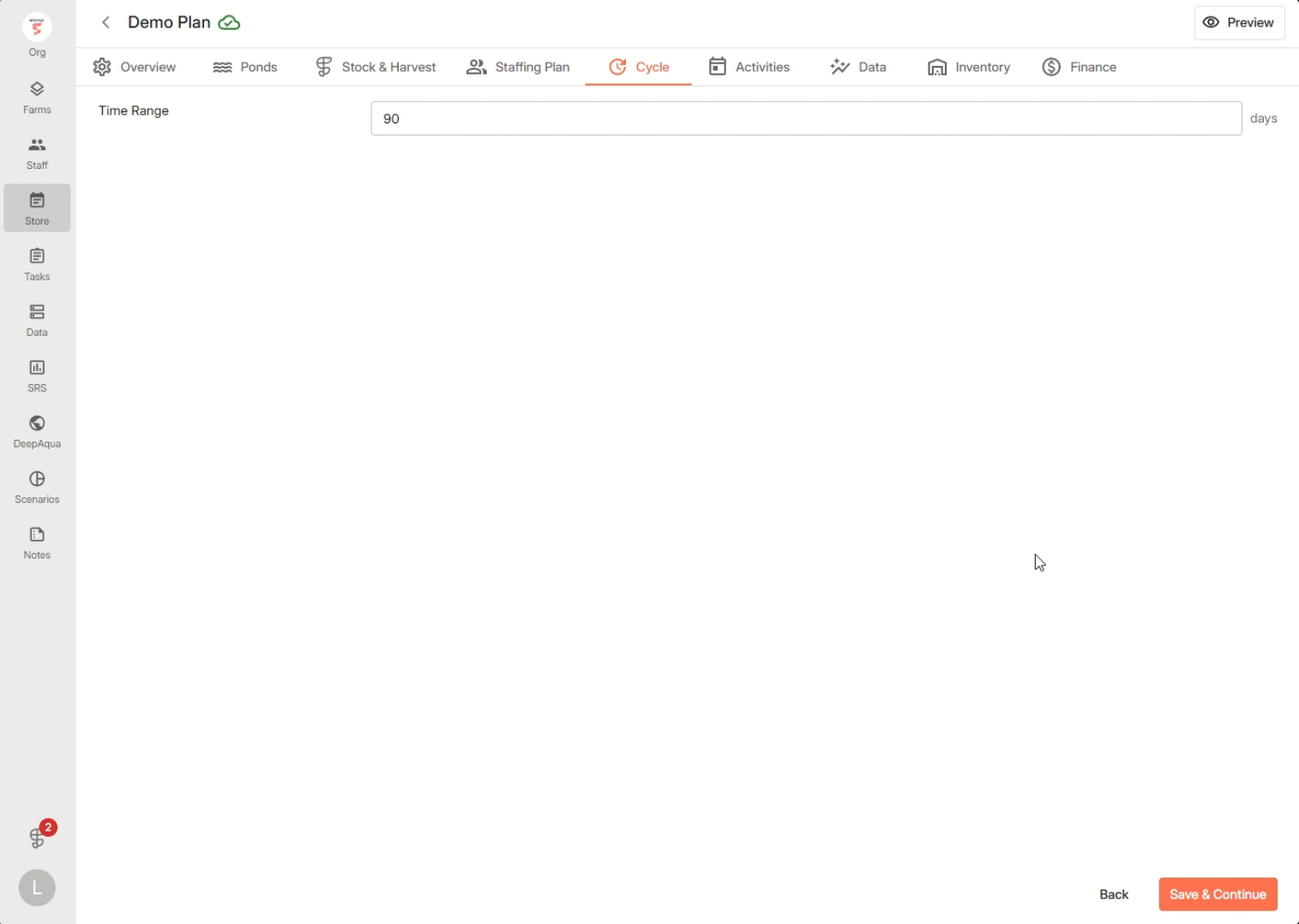
Step 6: Set the cycle duration.
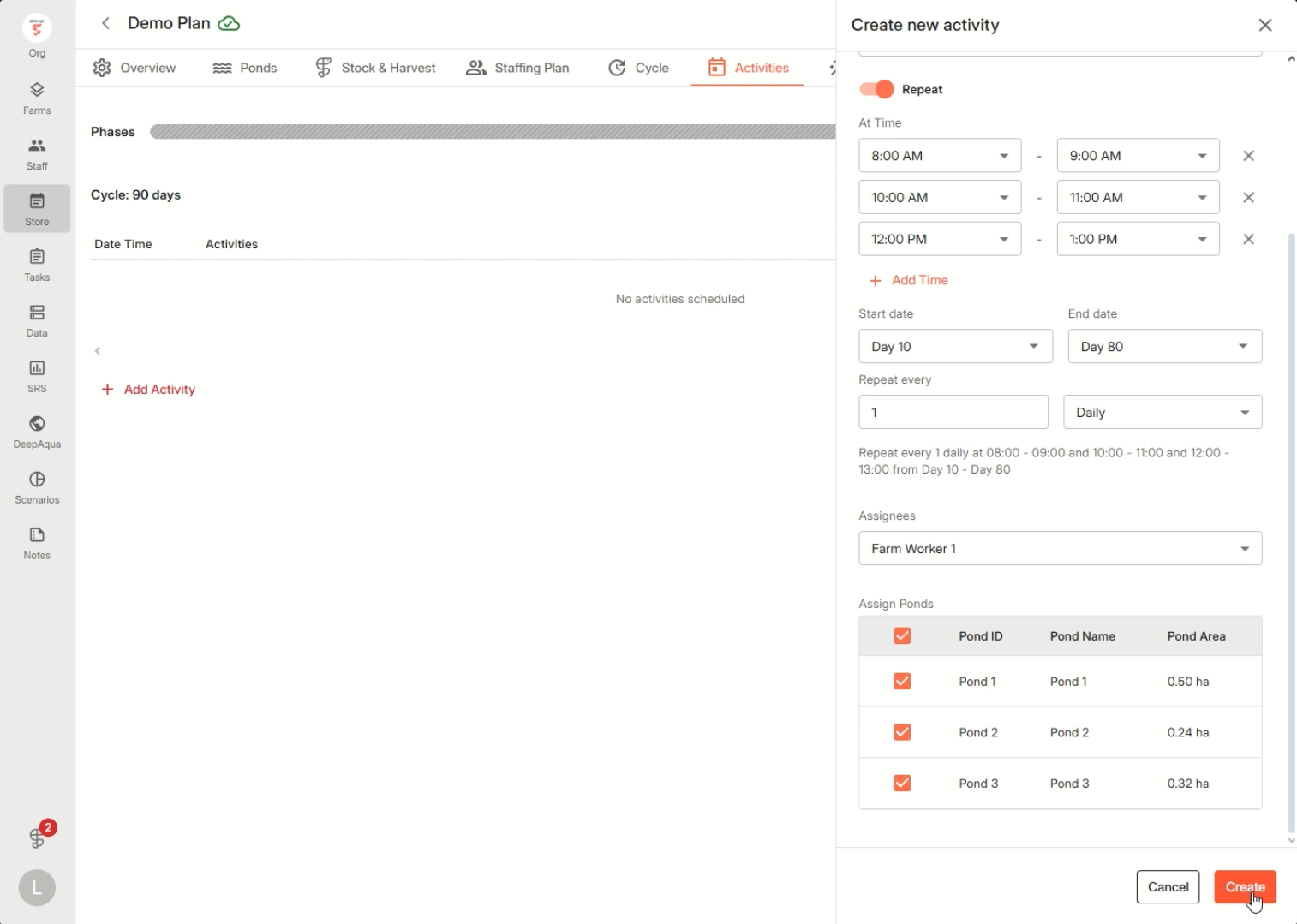
Step 7: Move to Activities and add your daily activities. Include descriptions, set schedules, and assign each task to an owner. With these steps, assigned tasks will show up as reminders in the mobile app for those responsible.
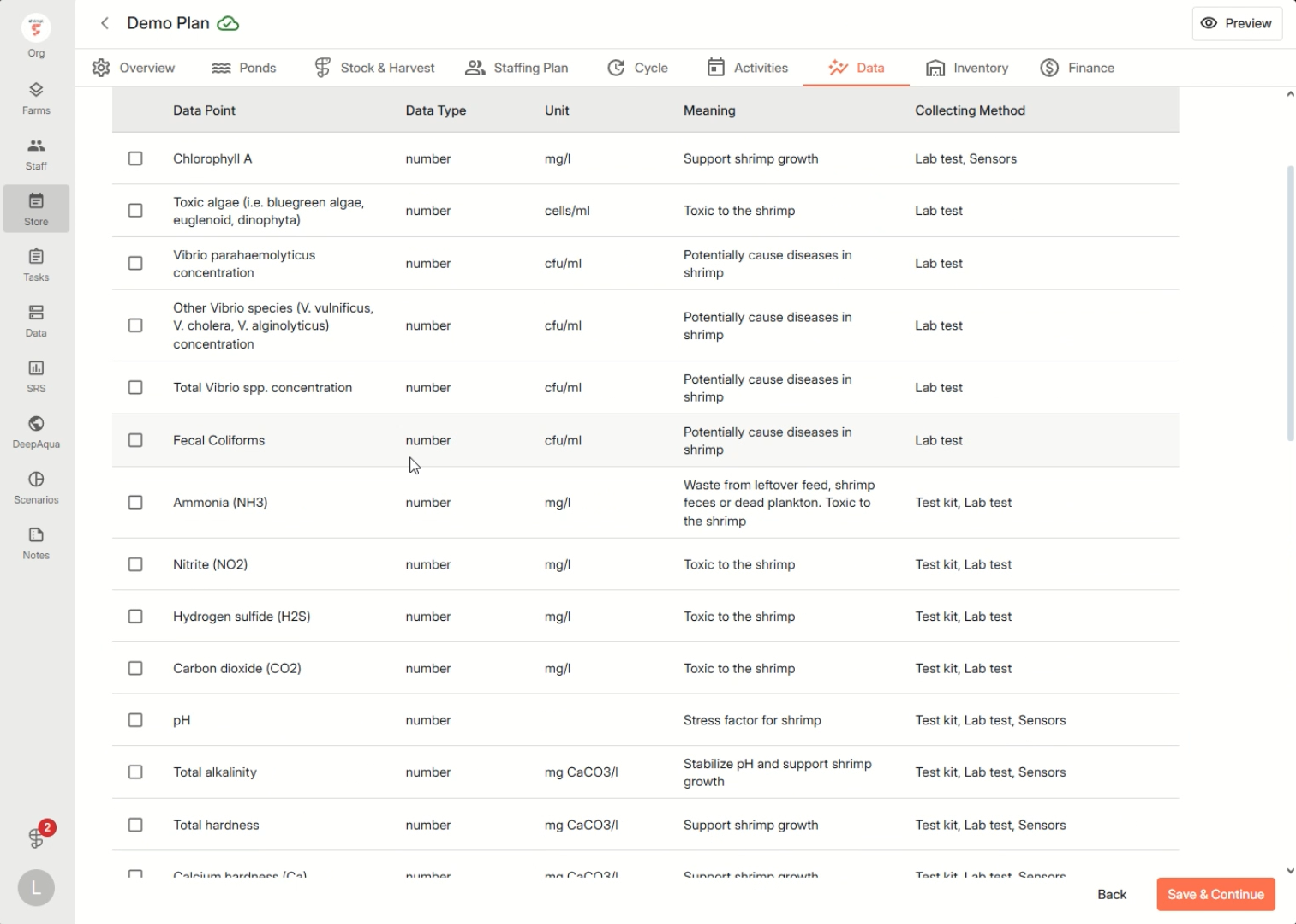
Step 8: Choose the key data points you want to monitor during the cycle. Decide when to collect each datapoint and assign who’s responsible for logging the data.
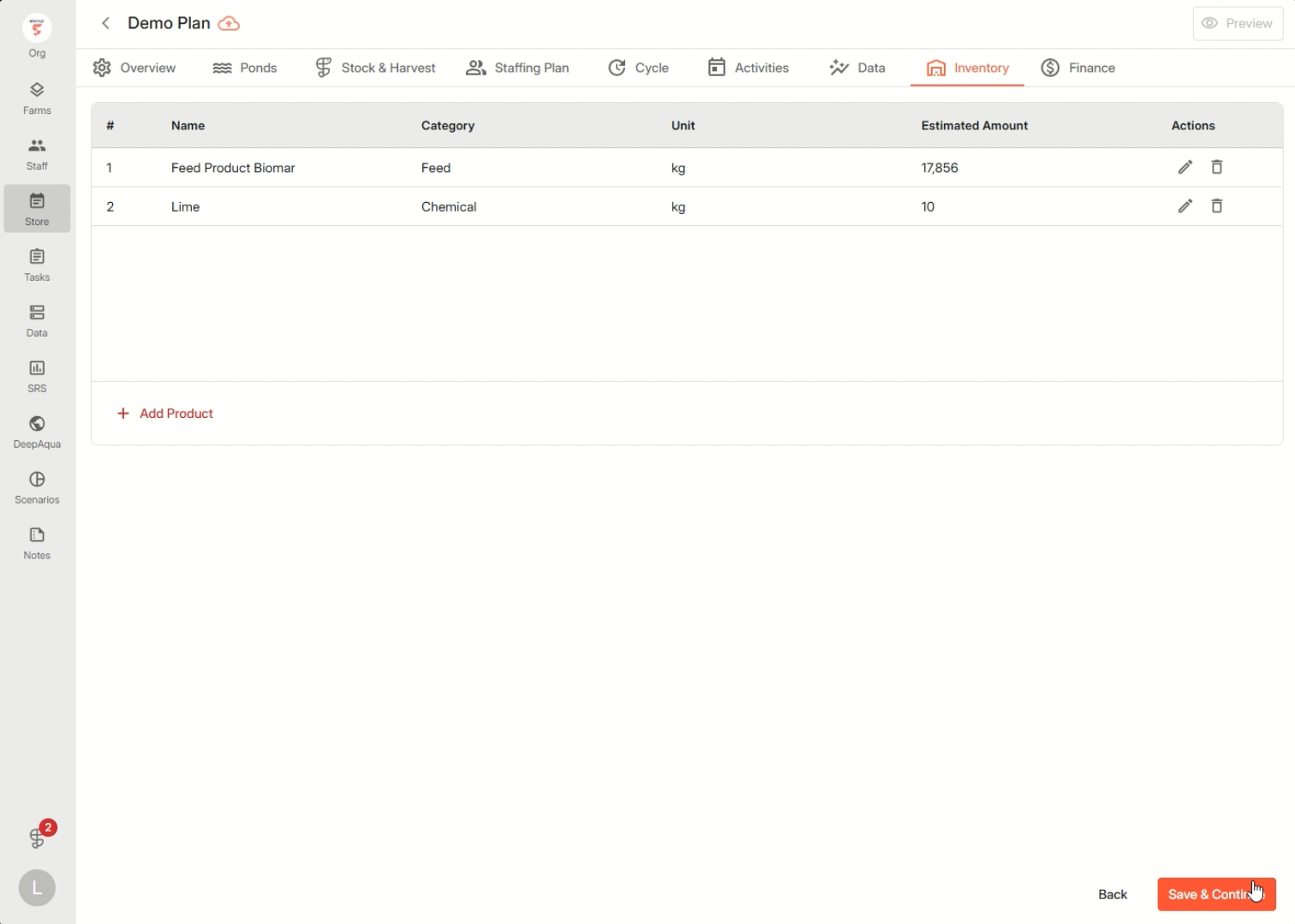
Step 9: In Inventory, estimate the quantities of each product you’ll need for the cycle. Click Add for each item required.
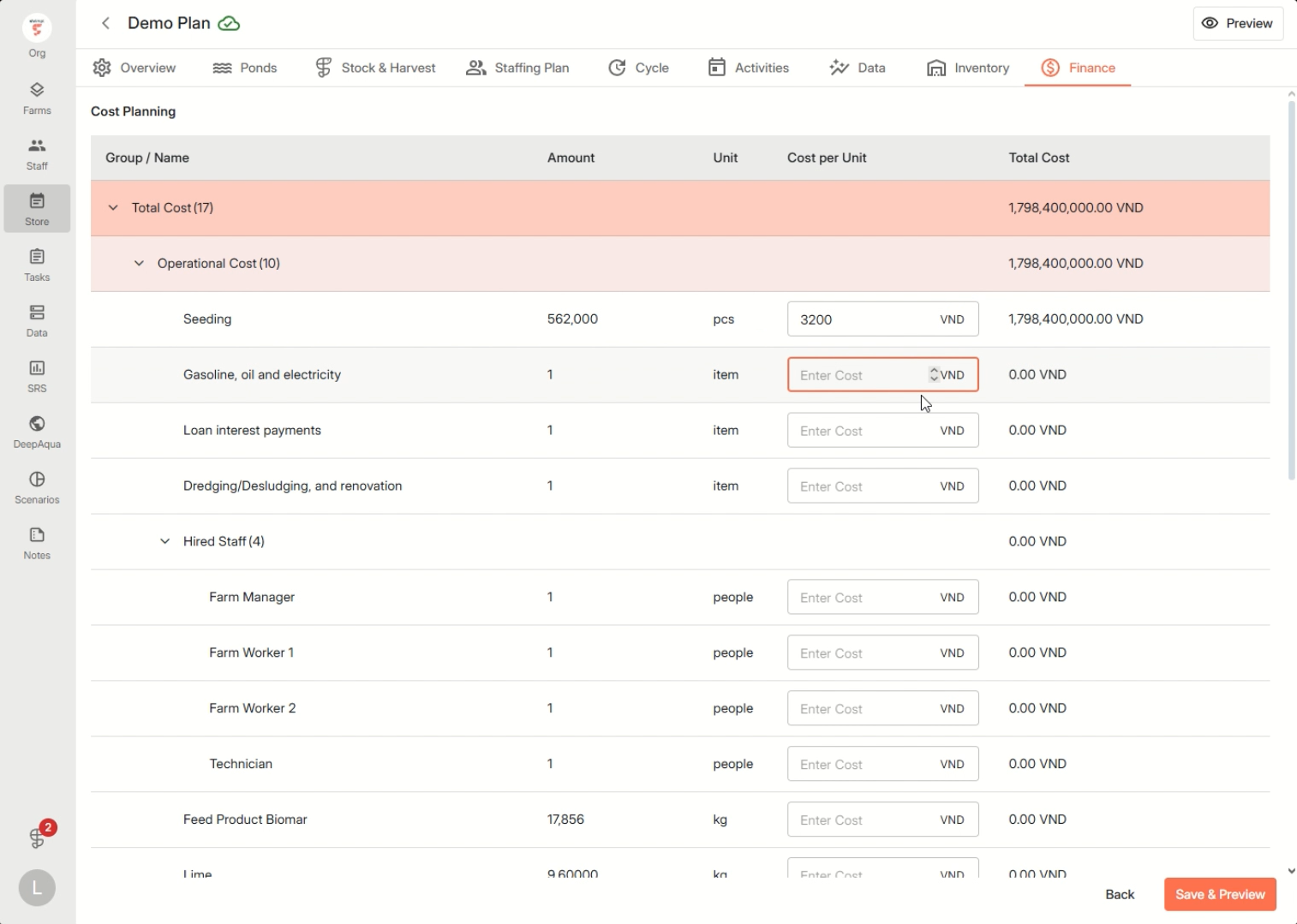
Step 10: Enter estimated costs and expected revenue in the Finance tab.
Step 11: Review your entire plan. Make sure every detail is accurate and complete, then publish your plan.
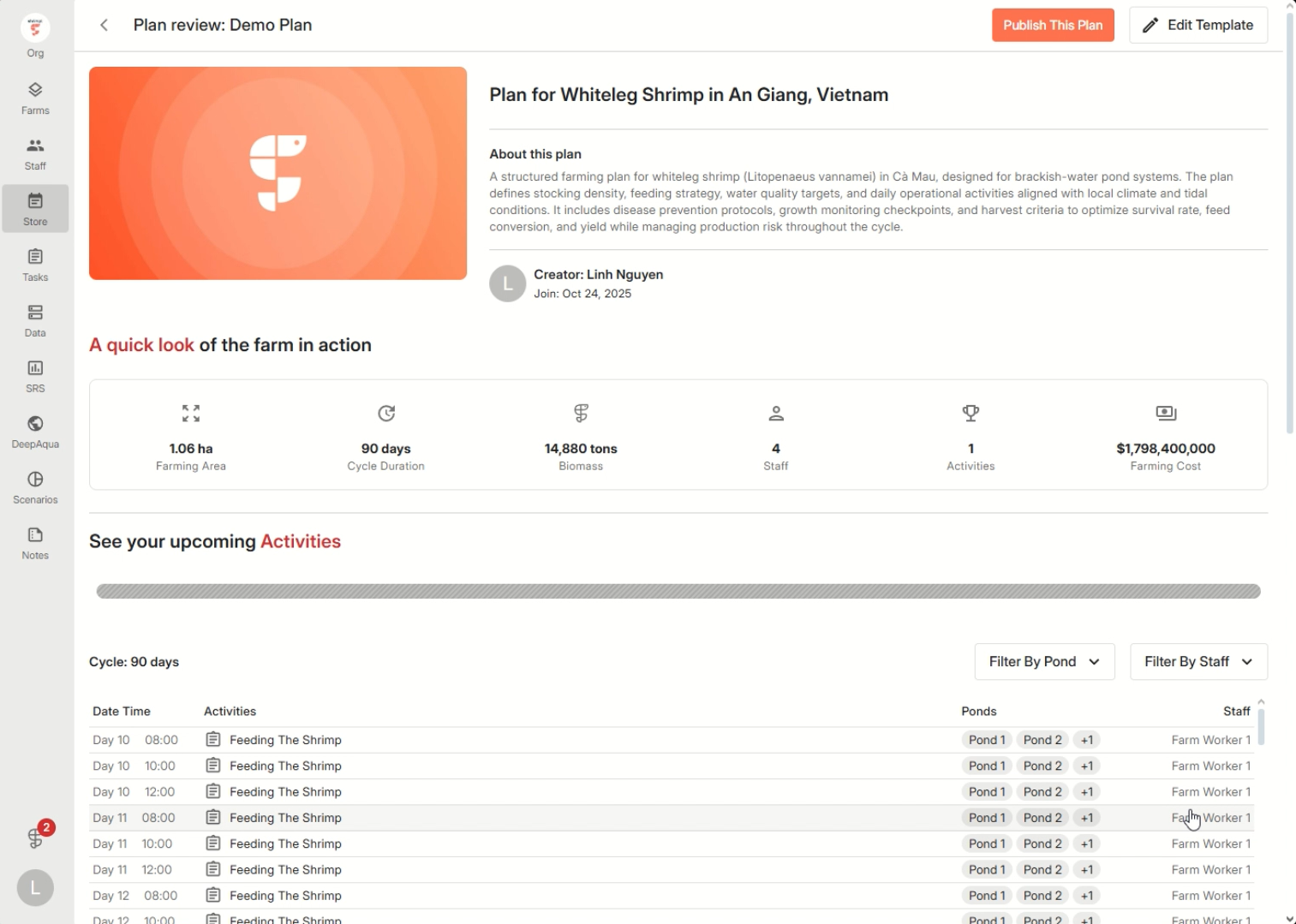
A structured plan in Shrimpl ensures every activity, data point, and resource gets tracked and assigned, so you can focus on growing your farm successfully