
Shrimpl Help Shrimpl Help

  • Home
  • Shrimpl App
Home / 🦐 Farm Management / How to Manage the Access to your Farm

How to Manage the Access to your Farm

Less than a minute 0


How to Manage the Access to Your Farms

Easily invite new team members to your organization and set their permissions with just a few clicks. Here’s how to get everyone onboard and working together quickly.

Step 1: Click the Staff tab to open the organization’s Members page.
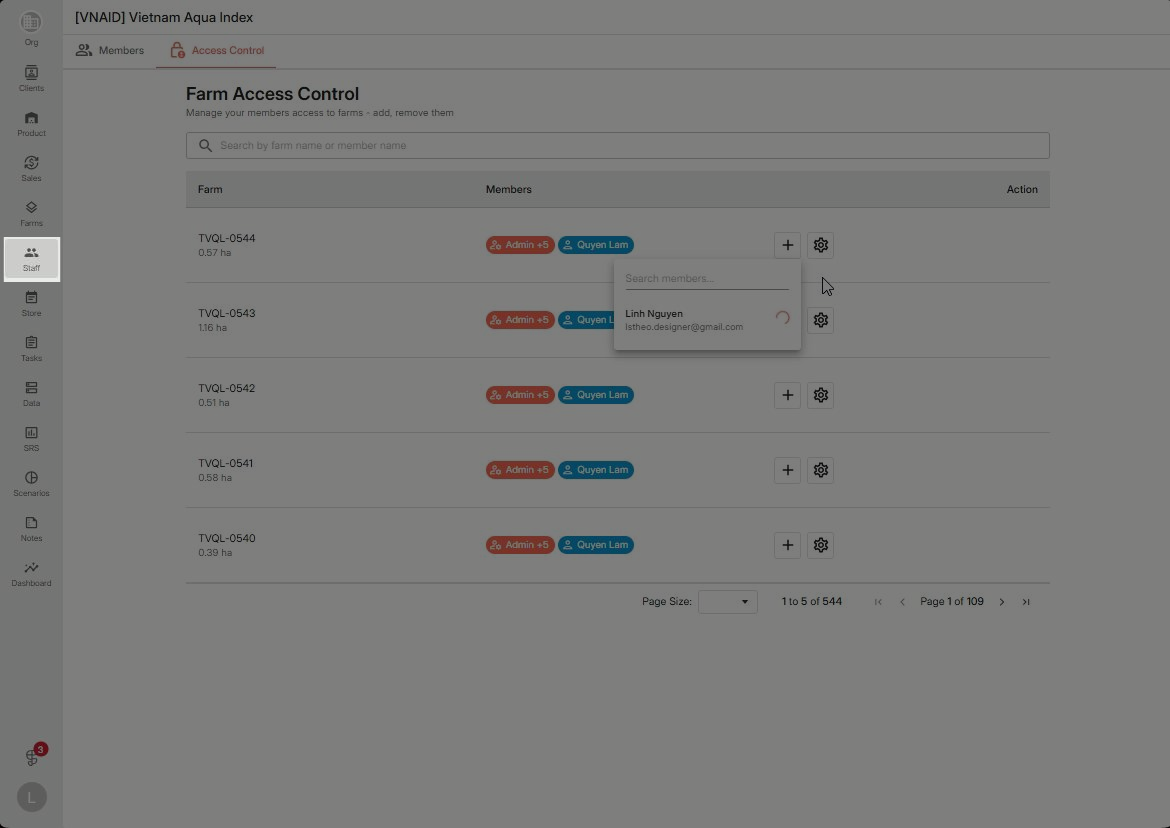
 

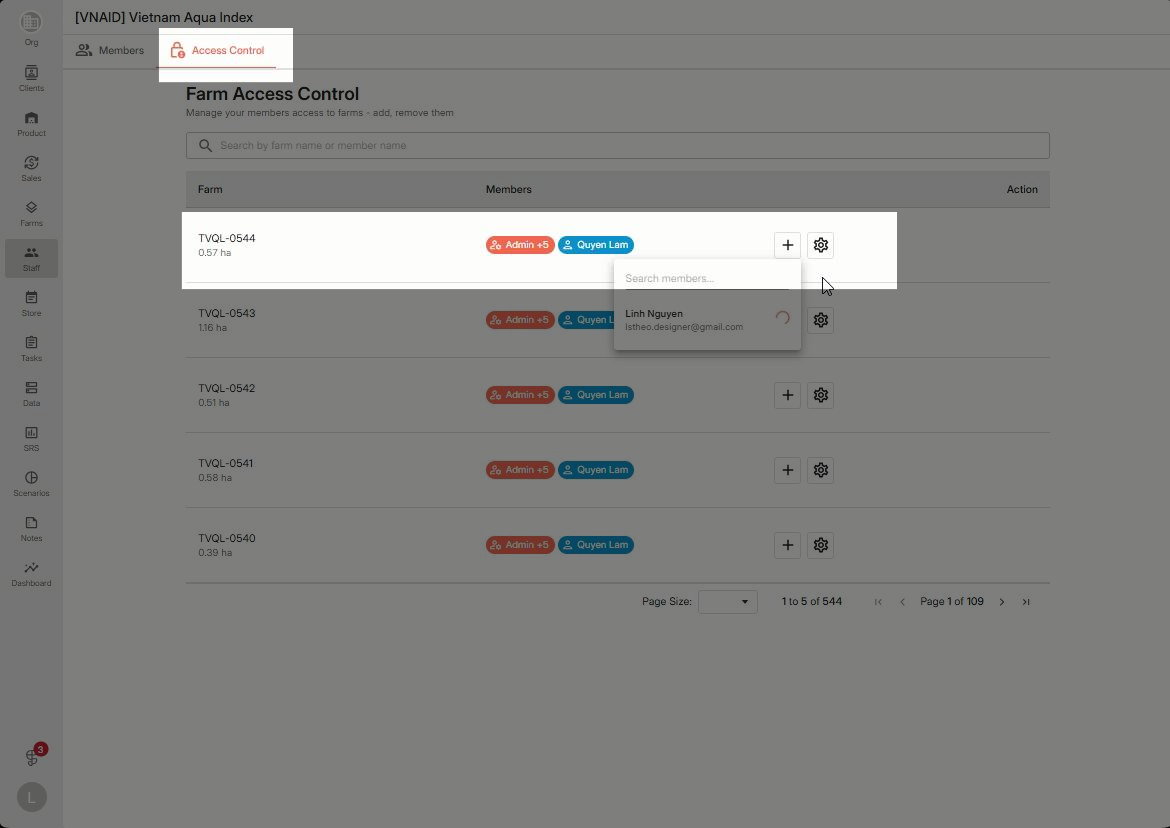
Step 2: Select Access Control. Choose the farm where you’d like to assign the new member.
Step 3: On the farm’s permissions page, set the member’s access level. Turn on Full Access to give complete access rights.
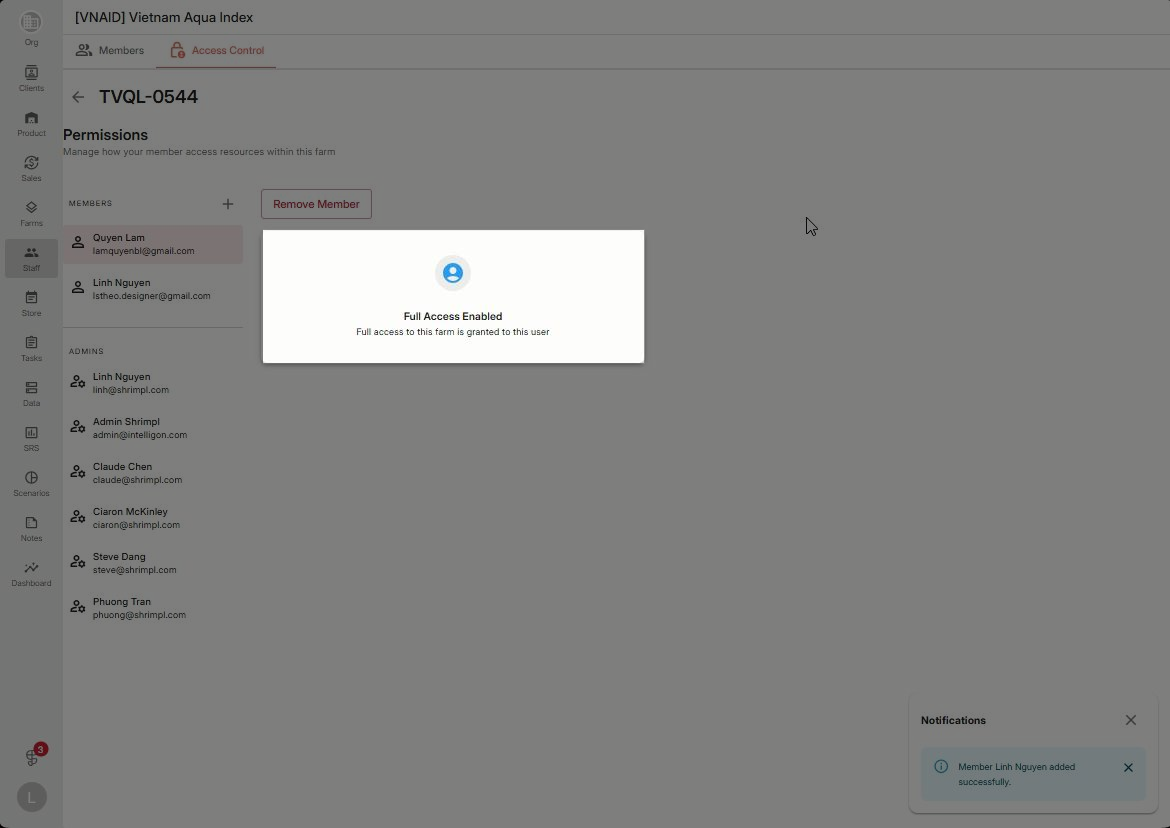
 

Step 4: Save your changes when you’re done.

Inviting users is fast and straightforward, ensuring your team gets the right access from the start. Revisit permissions anytime from Access Control to keep your organization secure and flexible.

🦐 Farm Management

Related Articles

  • How to deactivate a farm
  • How to edit ponds within a farm
  • How to create a farming plan
  • How to edit farm details

Categories

  • 11✍️ Account Settings
  • 1✨ Getting Started
  • 2💼 Client Management
  • 2📁 Farm Data
  • 2📝 Task Management
  • 2🛡️Shrimpl Resiliency Score (SRS)
  • 6🦐 Farm Management

Most Viewed

  • Use this website 110
  • How to Sign up with Phone number 38
  • How to Log in with Email account 38
  • What should I do when I forgot my password? 28
  • How do I change my password? 28

Most Liked

  • Use this website 3
  • How to Log in with Phone Number 1
  • How to Discover & Join an Organization 1

Social

Article Categories

✍️ Account Settings ✨ Getting Started 💼 Client Management 📁 Farm Data 📝 Task Management 🛡️Shrimpl Resiliency Score (SRS) 🦐 Farm Management
Shrimpl Pte Ltd, All rights reserved