
Shrimpl Help Shrimpl Help

  • Home
  • Shrimpl App
Home / ✍️ Account Settings / How to Log in with Email account

How to Log in with Email account

Less than a minute 0

How to Login with email account

Get started with Shrimpl by logging in using your email account. Follow these steps to access your dashboard quickly and securely.

Step 1: Open Shrimpl. You’ll see the login page right away.
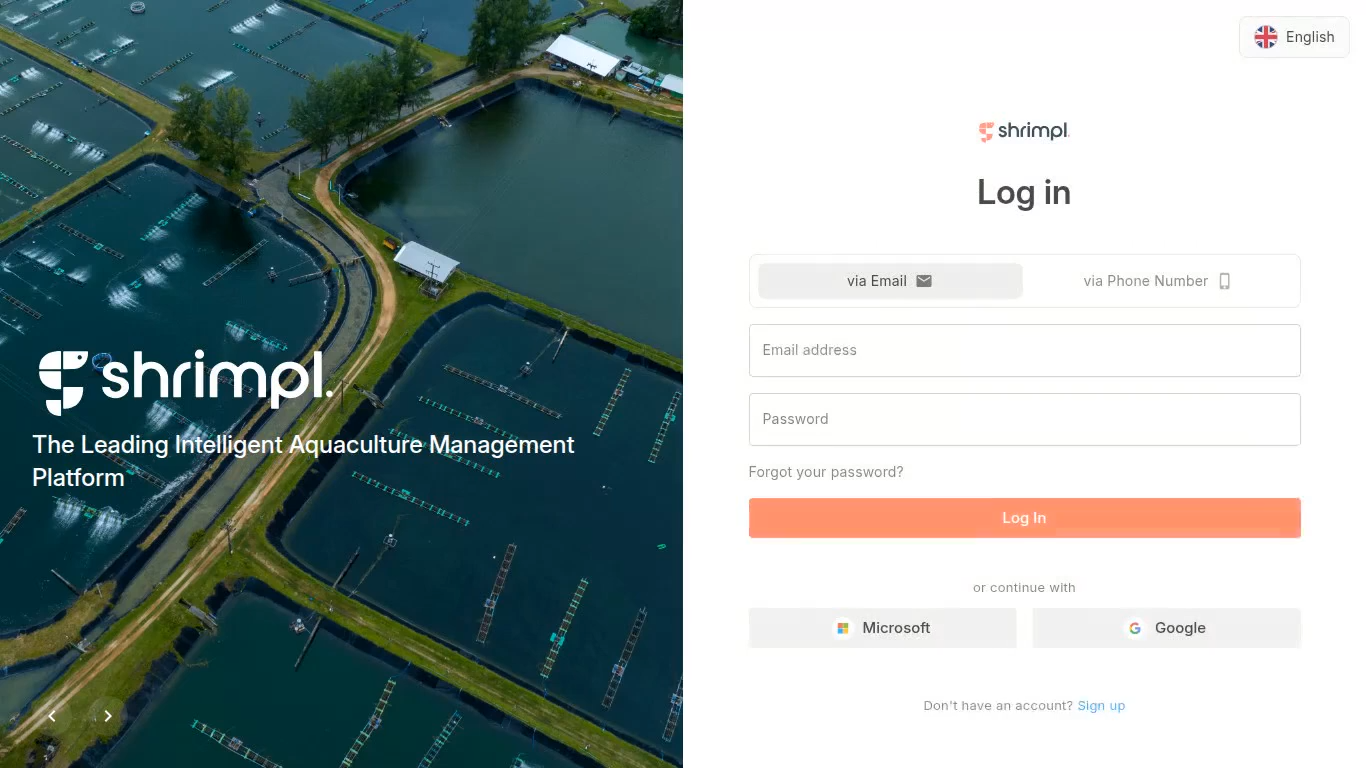
 

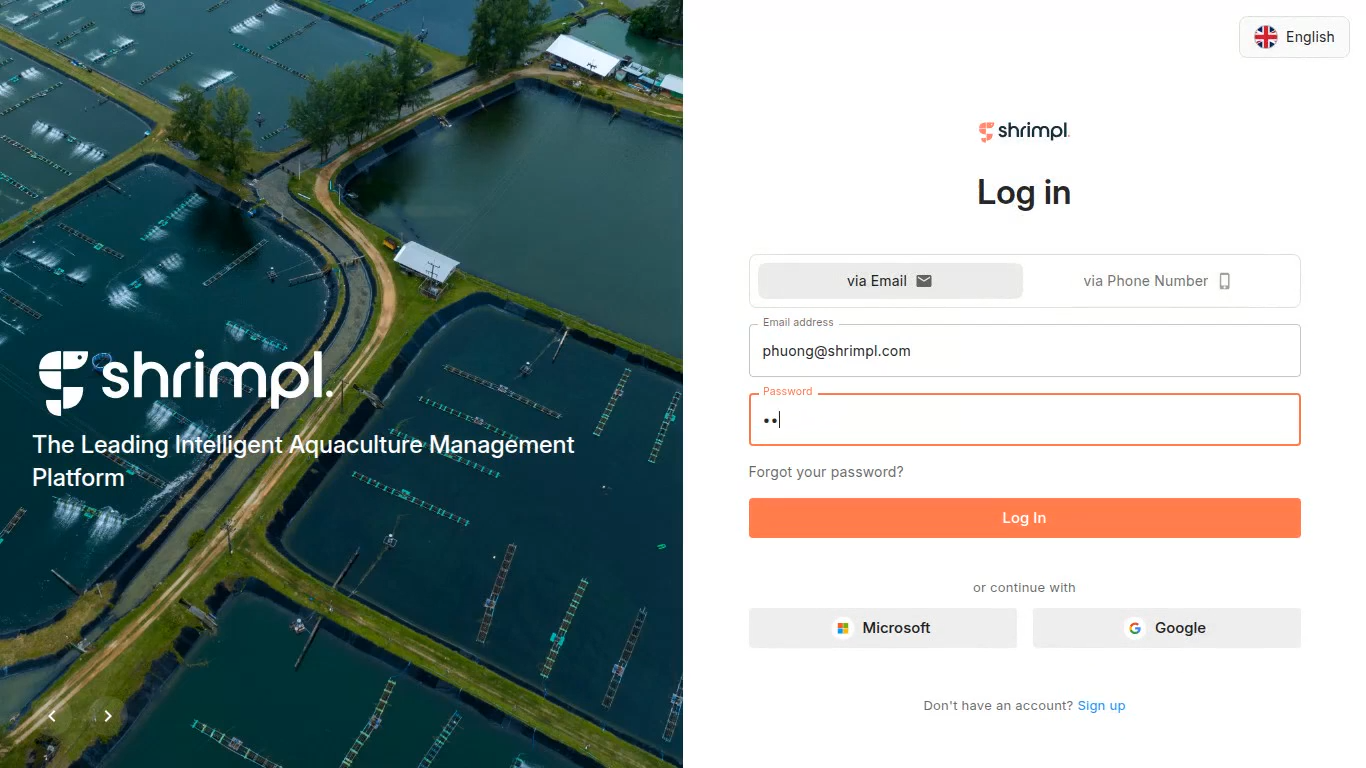
Step 2: Make sure via Email is selected. Enter your email credentials and sign in.
 

Step 3: Wait for the app to load. You’ll arrive on the welcome screen, ready to start exploring Shrimpl.
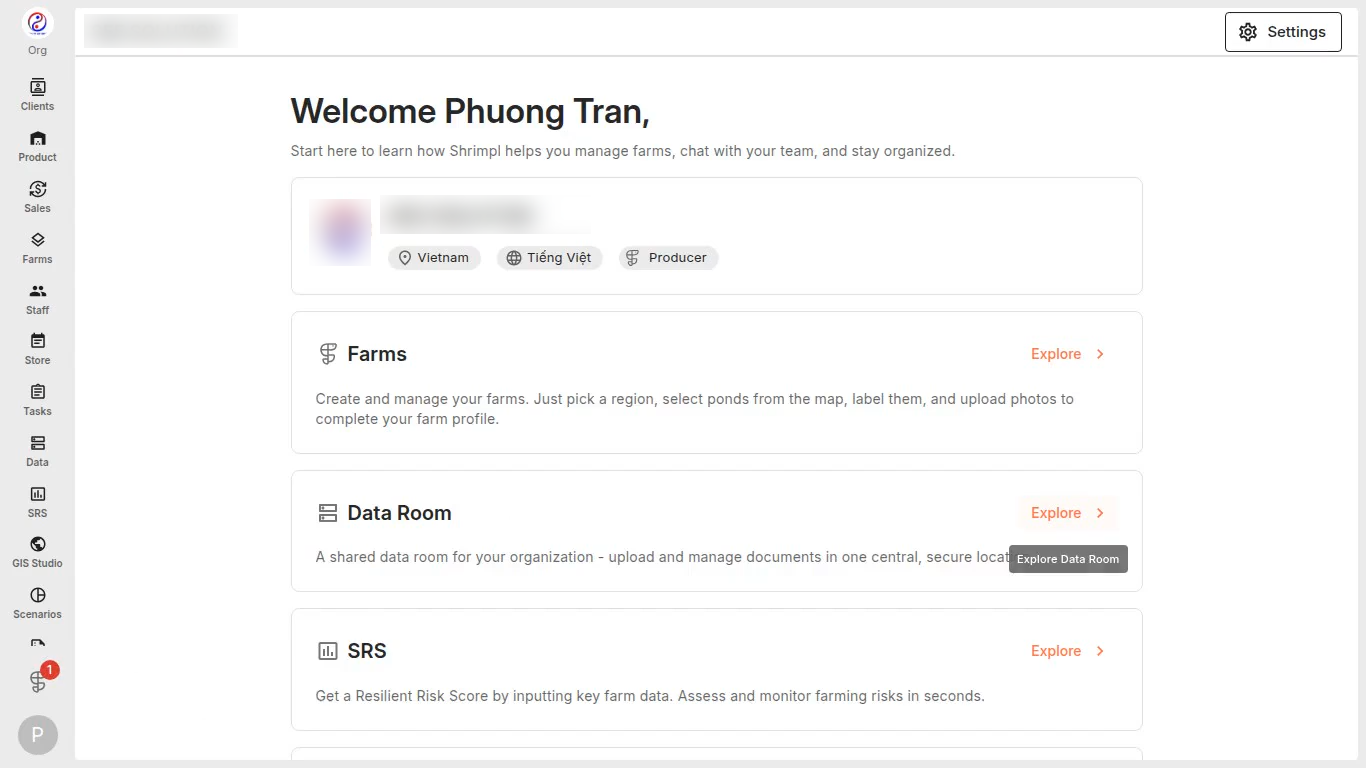
 

Logging in with your email gets you directly to your Shrimpl workspace – fast and easy every time.

✍️ Account Settings

Related Articles

  • How to Discover & Join an Organization
  • How to Create a New Organization
  • How to Invite Members to an Organization
  • How to Update Profile Settings

Categories

  • 11✍️ Account Settings
  • 1✨ Getting Started
  • 2💼 Client Management
  • 2📁 Farm Data
  • 2📝 Task Management
  • 2🛡️Shrimpl Resiliency Score (SRS)
  • 6🦐 Farm Management

Most Viewed

  • Use this website 110
  • How to Log in with Email account 38
  • How to Sign up with Phone number 37
  • What should I do when I forgot my password? 28
  • How do I change my password? 28

Most Liked

  • Use this website 3
  • How to Discover & Join an Organization 1
  • How to Log in with Phone Number 1

Social

Article Categories

✍️ Account Settings ✨ Getting Started 💼 Client Management 📁 Farm Data 📝 Task Management 🛡️Shrimpl Resiliency Score (SRS) 🦐 Farm Management
Shrimpl Pte Ltd, All rights reserved