
Shrimpl Help Shrimpl Help

  • Home
  • Shrimpl App
Home / ๐Ÿฆ Farm Management / How to deactivate a farm

How to deactivate a farm

Less than a minute 0

How to Deactivate a Farm

Deactivate a Farm in Shrimpl to remove it from your farm list while keeping your records tidy. Follow these simple steps to complete the process.

Step 1: Click Farms in the left navigation menu.
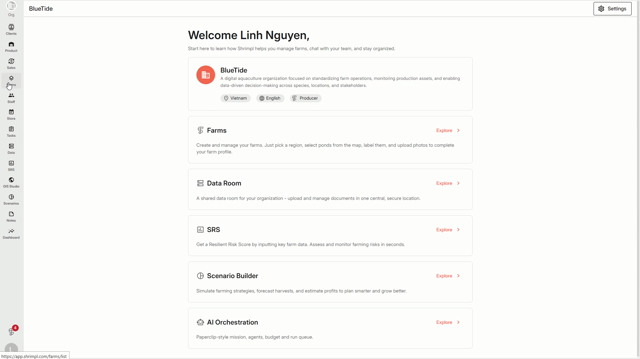


Step 2: Select the farm you want to deactivate from your list.
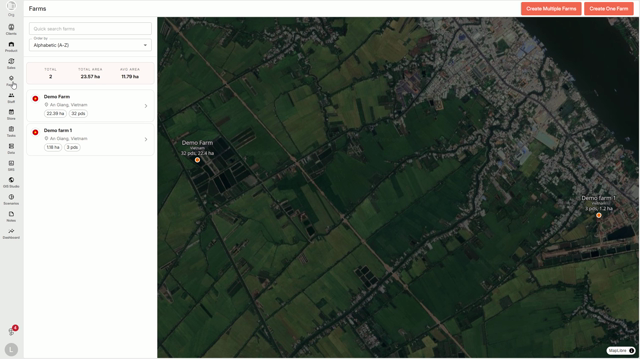


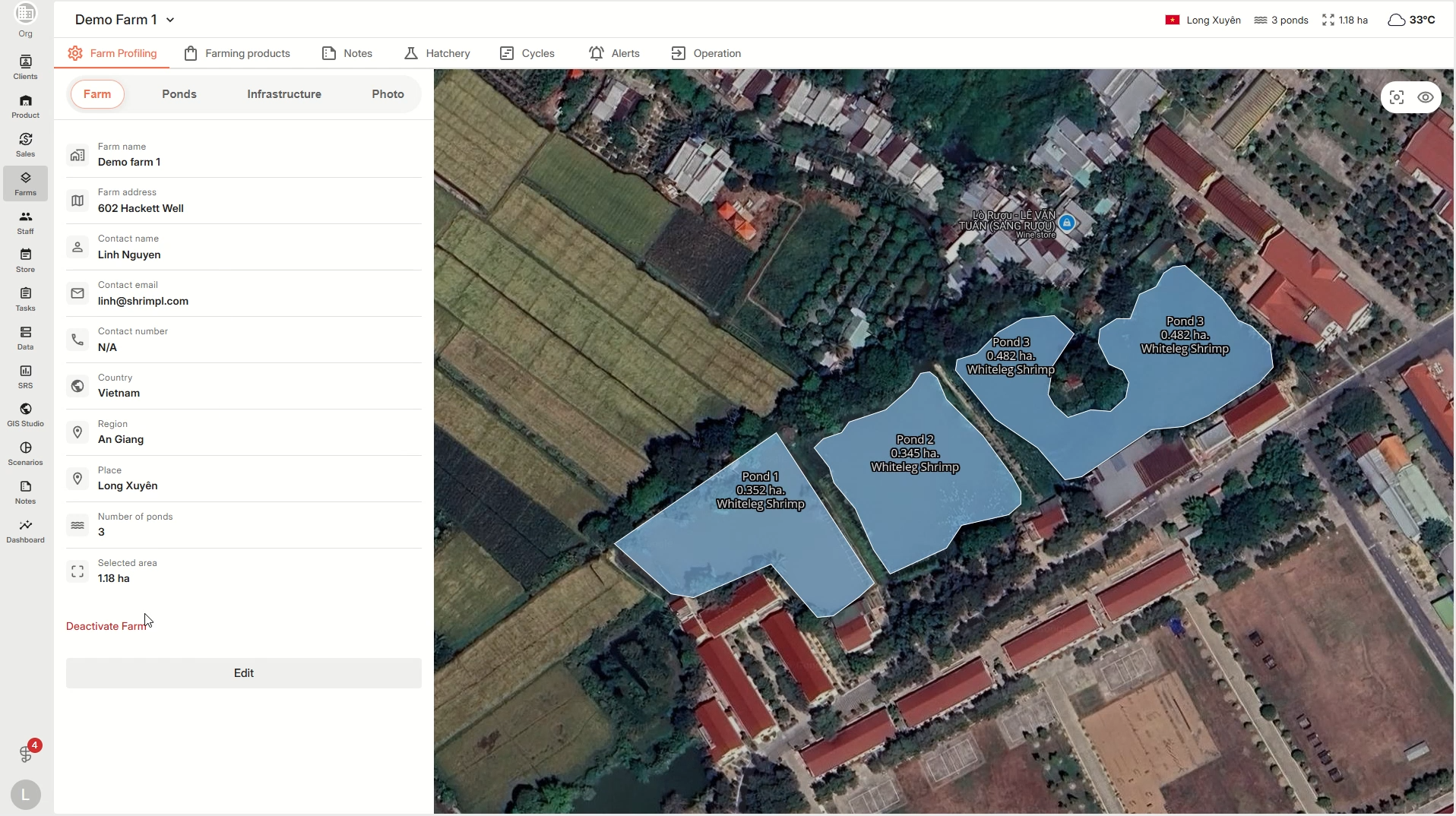
Step 3: On the farm details page, open the Settings menu and select Deactivate Farm.


Step 4: You’ll see a confirmation screen. Carefully type the farm’s exact name to confirm.
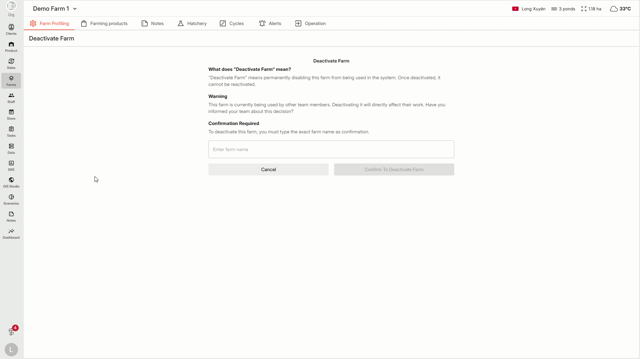


Step 5: Enter the farm name as shown.
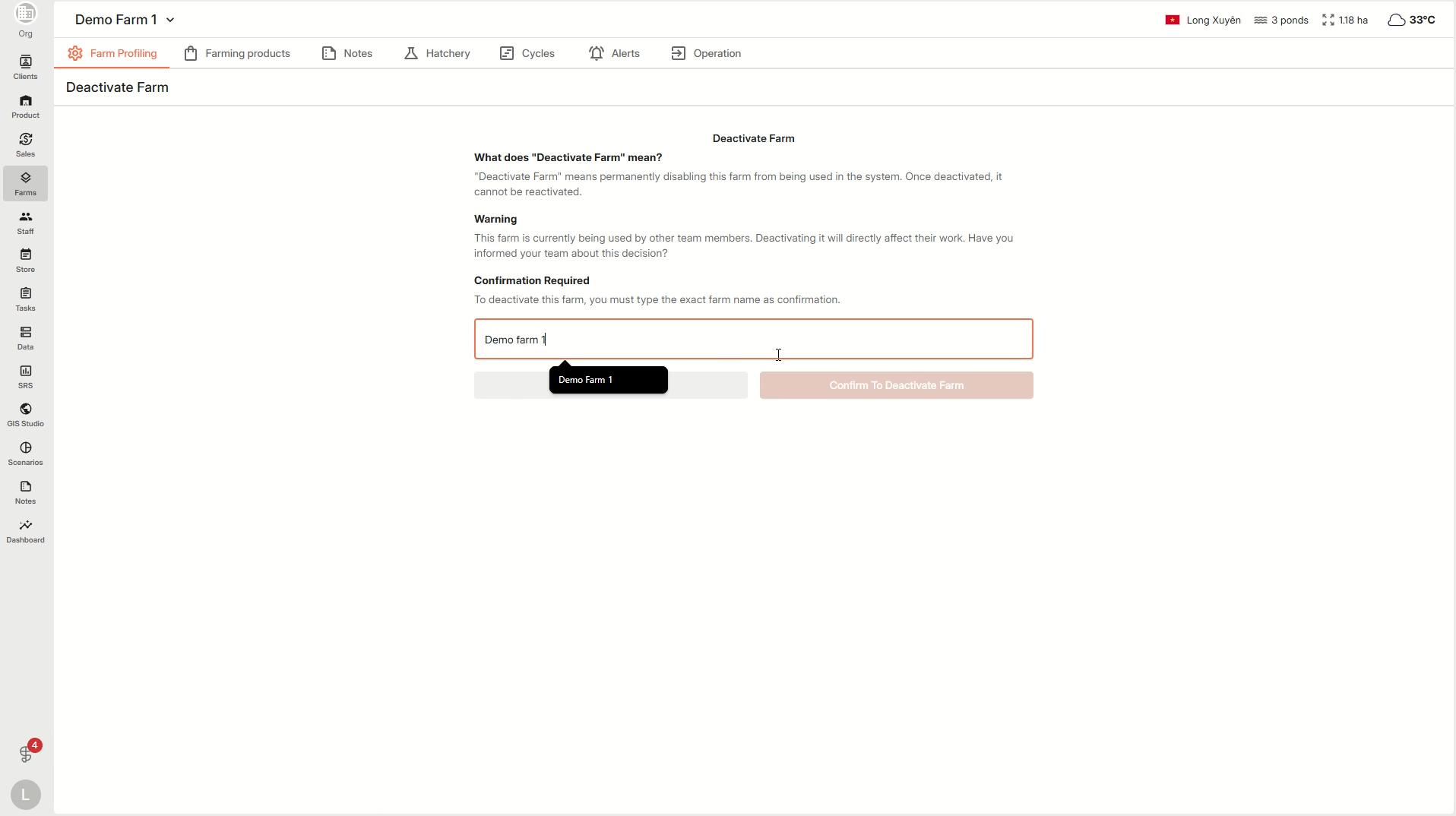


Step 6: Click Confirm to complete deactivation.
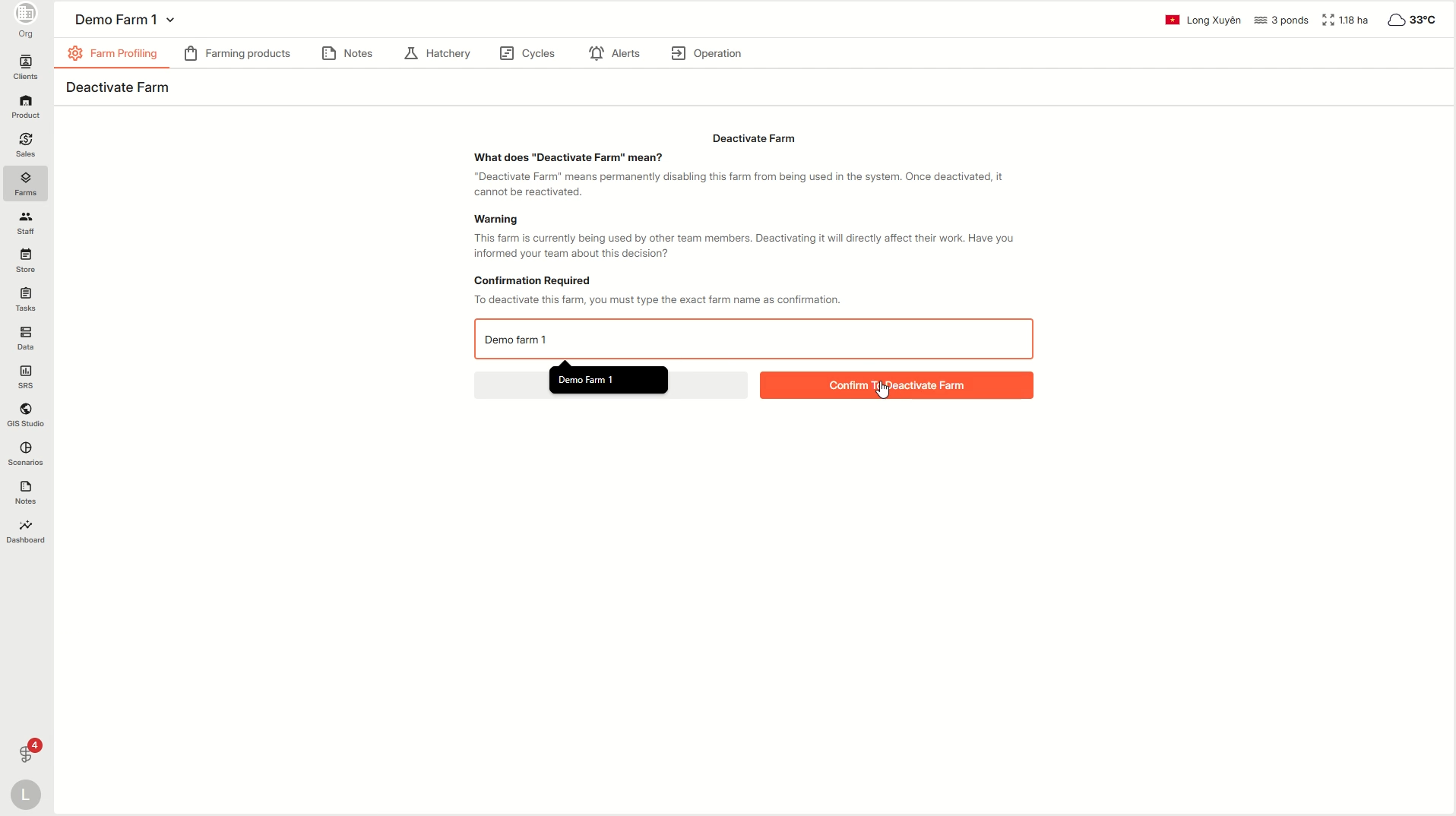


Step 7: The farm will be deactivated and removed from your farm list.

Deactivating farms helps keep your Shrimpl dashboard organized. Always double-check the name before confirming to prevent accidental removal.

๐Ÿฆ Farm Management

Related Articles

  • How to Manage the Access to your Farm
  • How to edit ponds within a farm
  • How to create a farming plan
  • How to edit farm details

Categories

  • 11โœ๏ธ Account Settings
  • 1โœจ Getting Started
  • 2๐Ÿ’ผ Client Management
  • 2๐Ÿ“ Farm Data
  • 2๐Ÿ“ Task Management
  • 2๐Ÿ›ก๏ธShrimpl Resiliency Score (SRS)
  • 6๐Ÿฆ Farm Management

Most Viewed

  • Use this website 109
  • How to Sign up with Phone number 37
  • How to Log in with Email account 37
  • What should I do when I forgot my password? 28
  • How do I change my password? 28

Most Liked

  • Use this website 3
  • How to Log in with Phone Number 1
  • How to Discover & Join an Organization 1

Social

Article Categories

โœ๏ธ Account Settings โœจ Getting Started ๐Ÿ’ผ Client Management ๐Ÿ“ Farm Data ๐Ÿ“ Task Management ๐Ÿ›ก๏ธShrimpl Resiliency Score (SRS) ๐Ÿฆ Farm Management
Shrimpl Pte Ltd, All rights reserved