Shrimpl Help Shrimpl Help

  • Home
  • Shrimpl App
Home / ✍️ Account Settings / How to Discover & Join an Organization

How to Discover & Join an Organization

Less than a minute 1

Discover and Join an Organization in Shrimpl

Find and connect with organizations in Shrimpl to start collaborating instantly. Here’s how to search for and join a new organization, step by step.

Step 1: Click Search on the homepage
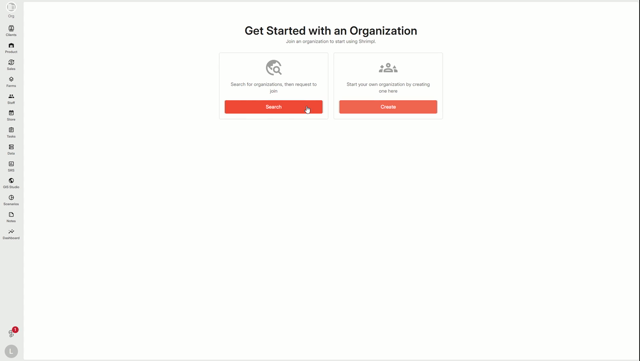
 

Step 2: Choose the Organization option to discover new organizations

Step 3: Search for the organization you want to join
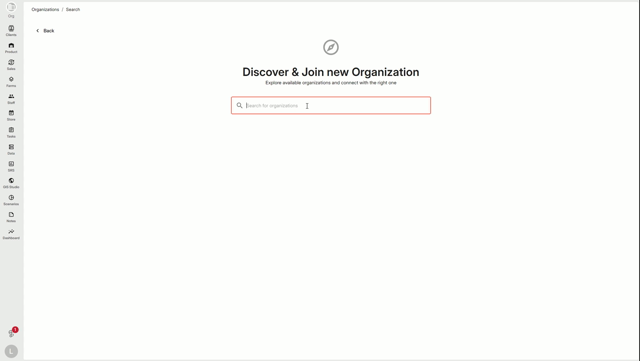
 

Step 4: Select the organization from the results to view its details

 

Step 5: Click Request to Join

 

Step 6: Enter your reason for joining and submit your request

 

Once you send your request, the organization owner or admin will review it.

Step 7: Check your email for a notification when your request is approved

 

Step 8: Access the organization in your account and view its shared information and features
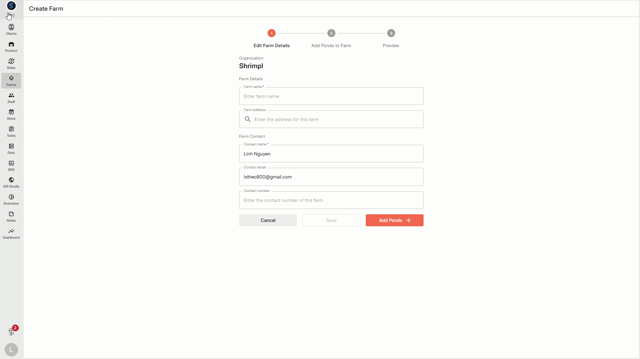


By joining an organization, you can take advantage of shared resources and features for better collaboration.

✍️ Account Settings

Related Articles

  • How to Create a New Organization
  • How to Invite Members to an Organization
  • How to Update Profile Settings
  • Switch Language

Categories

  • 11✍️ Account Settings
  • 1✨ Getting Started
  • 2💼 Client Management
  • 2📁 Farm Data
  • 2📝 Task Management
  • 2🛡️Shrimpl Resiliency Score (SRS)
  • 6🦐 Farm Management

Most Viewed

  • Use this website 111
  • How to Sign up with Phone number 39
  • How to Log in with Email account 39
  • What should I do when I forgot my password? 30
  • How do I change my password? 29

Most Liked

  • Use this website 3
  • How to Discover & Join an Organization 1
  • How to Log in with Phone Number 1

Social

Article Categories

✍️ Account Settings ✨ Getting Started 💼 Client Management 📁 Farm Data 📝 Task Management 🛡️Shrimpl Resiliency Score (SRS) 🦐 Farm Management
Shrimpl Pte Ltd, All rights reserved