
Shrimpl Help Shrimpl Help

  • Home
  • Shrimpl App
Home / ✍️ Account Settings / How to Invite Members to an Organization

How to Invite Members to an Organization

Less than a minute 0

How to Invite New Team Members to Your Organization

Inviting new members to your organization helps you expand your team and collaborate more efficiently. Follow these simple steps to send invitations and manage your staff.

Step 1: Click the Staff tab on the menu bar.
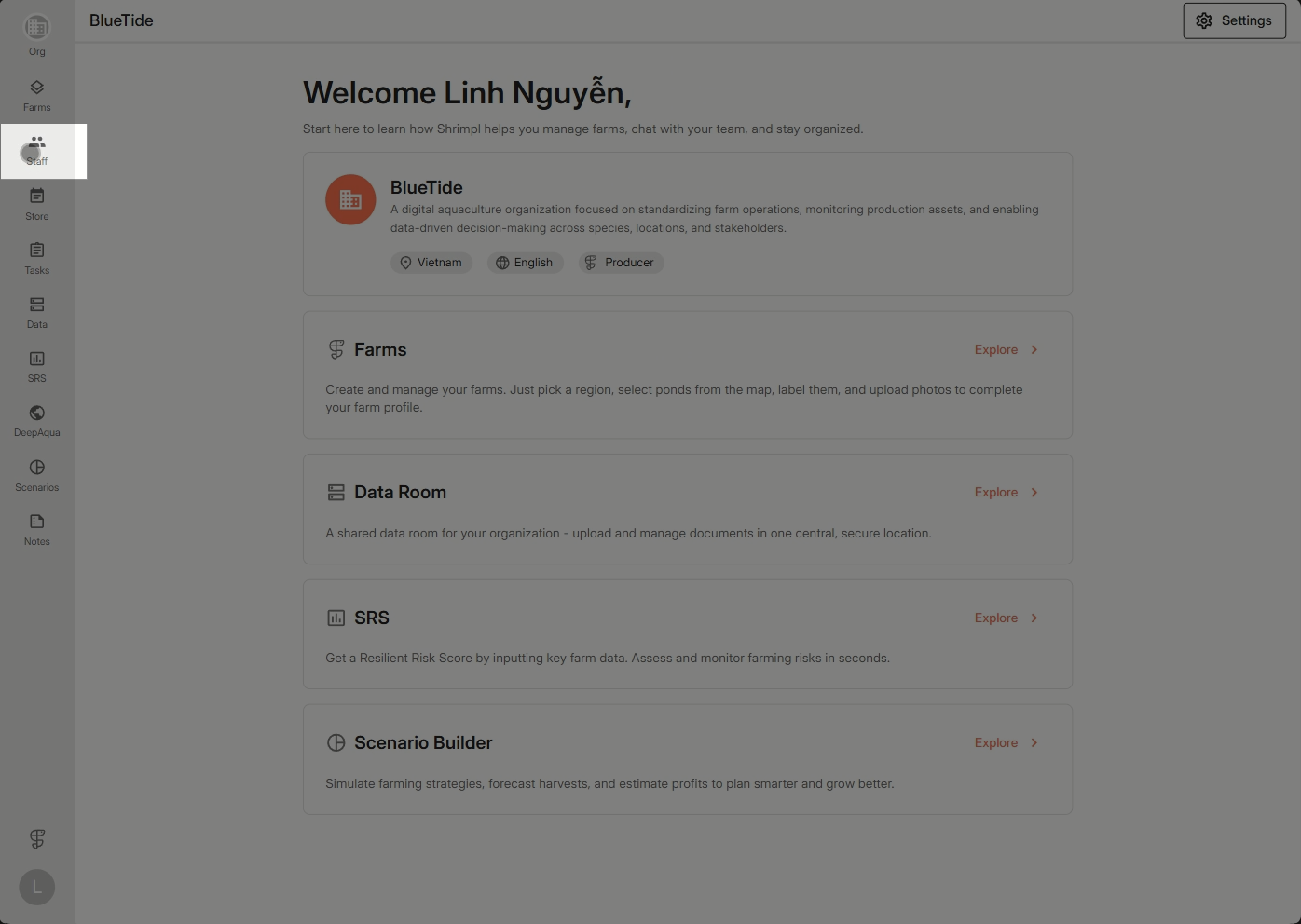


Step 2: Click Add member to begin adding a new teammate.



Step 3: Enter their phone number or email and select the appropriate role.
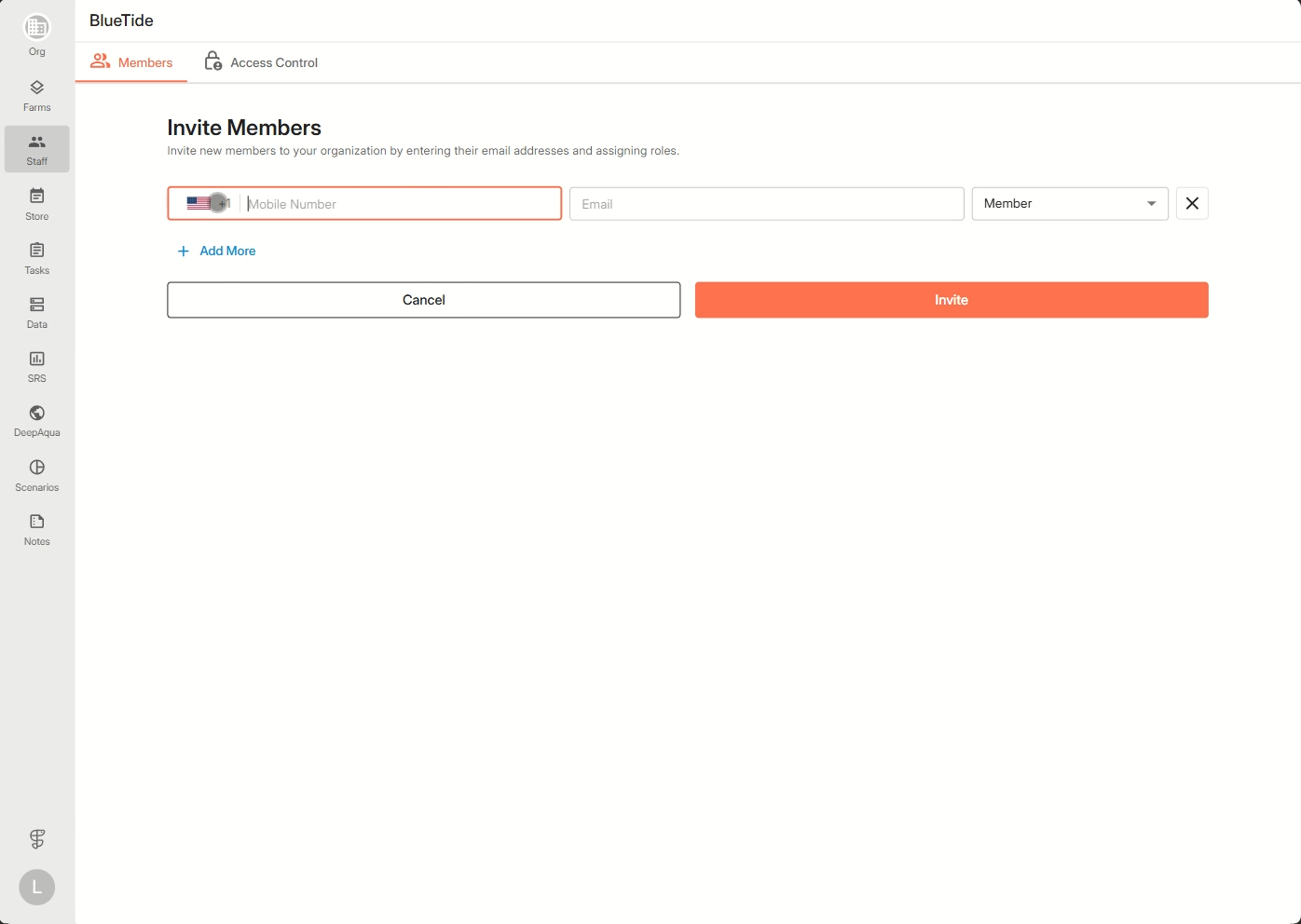


Step 4: Continue adding any additional members as needed, then send the invitations.
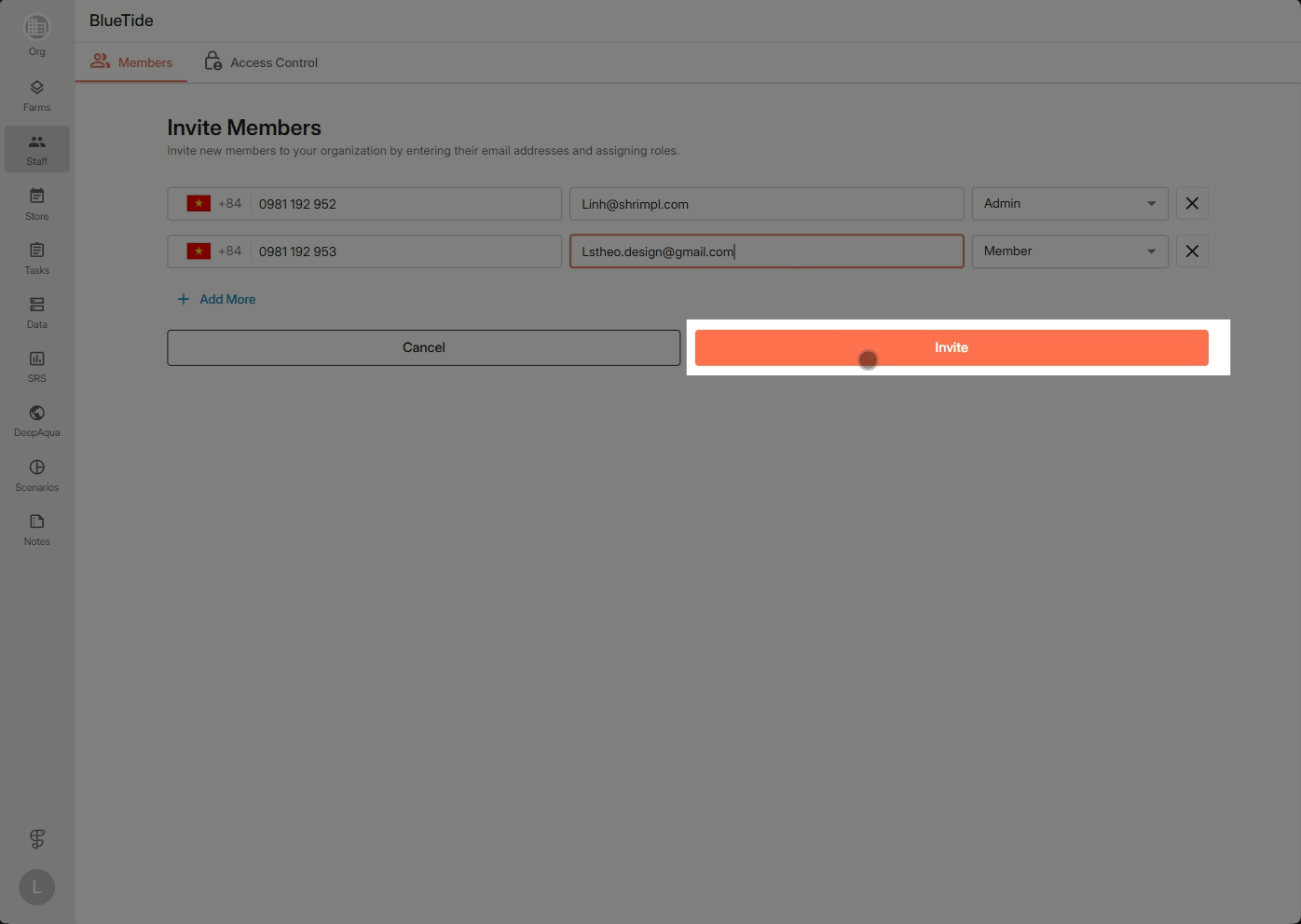


Invited members will appear in the pending list until they accept. Once accepted, they’ll show up in the official member list and become part of your organization.

✍️ Account Settings

Related Articles

  • How to Discover & Join an Organization
  • How to Create a New Organization
  • How to Update Profile Settings
  • Switch Language

Categories

  • 11✍️ Account Settings
  • 1✨ Getting Started
  • 2💼 Client Management
  • 2📁 Farm Data
  • 2📝 Task Management
  • 2🛡️Shrimpl Resiliency Score (SRS)
  • 6🦐 Farm Management

Most Viewed

  • Use this website 109
  • How to Log in with Email account 37
  • How to Sign up with Phone number 37
  • What should I do when I forgot my password? 28
  • How do I change my password? 28

Most Liked

  • Use this website 3
  • How to Discover & Join an Organization 1
  • How to Log in with Phone Number 1

Social

Article Categories

✍️ Account Settings ✨ Getting Started 💼 Client Management 📁 Farm Data 📝 Task Management 🛡️Shrimpl Resiliency Score (SRS) 🦐 Farm Management
Shrimpl Pte Ltd, All rights reserved