
Shrimpl Help Shrimpl Help

  • Home
  • Shrimpl App
Home / ✍️ Account Settings / How to Update Profile Settings

How to Update Profile Settings

Less than a minute 0

How to Update Profile Settings

Update your profile settings in just a few simple steps. Keeping your information current helps ensure your account details stay accurate and secure.

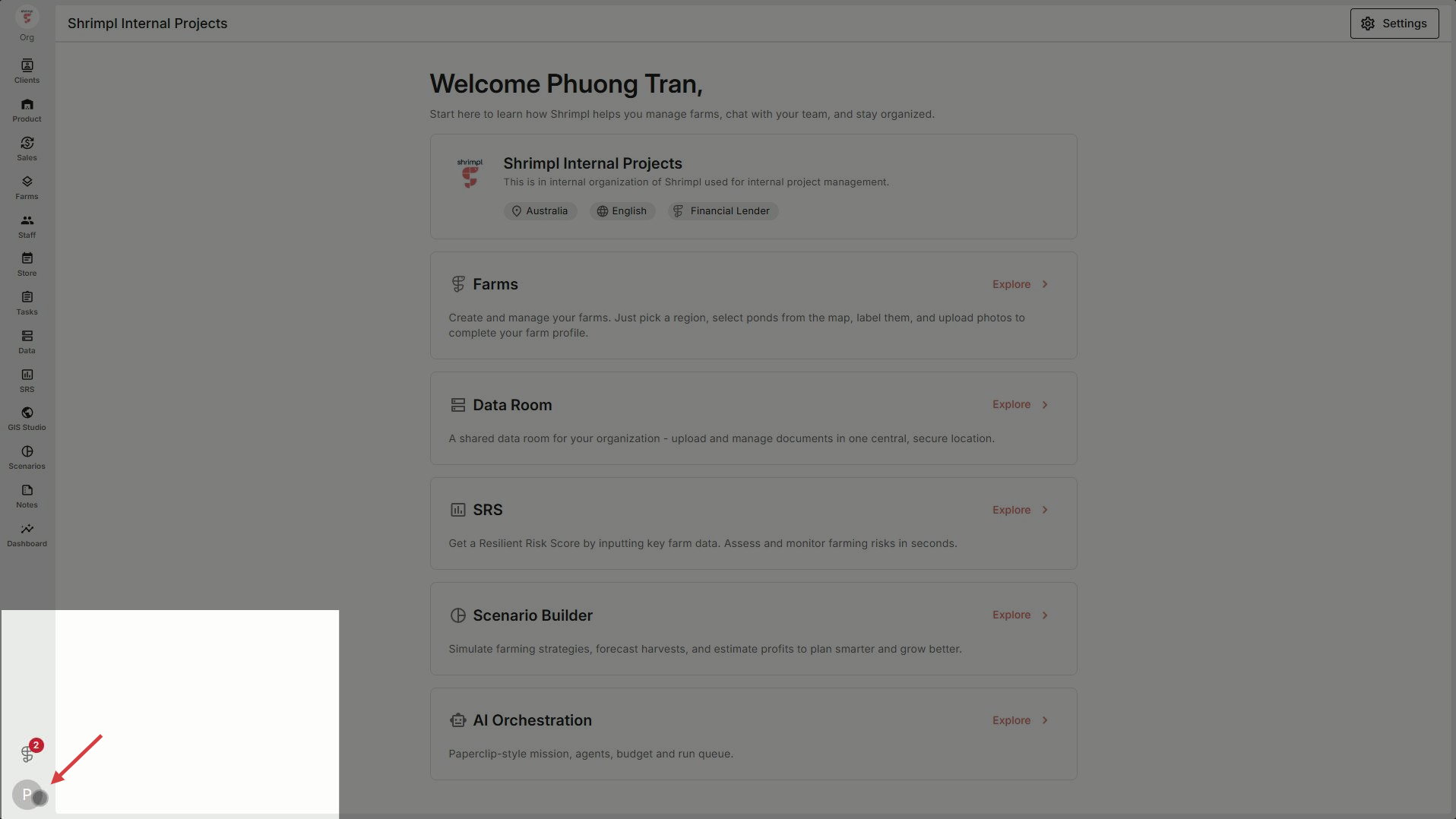
Step 1: Open the app and go to the profile icon on the bottom left.
 

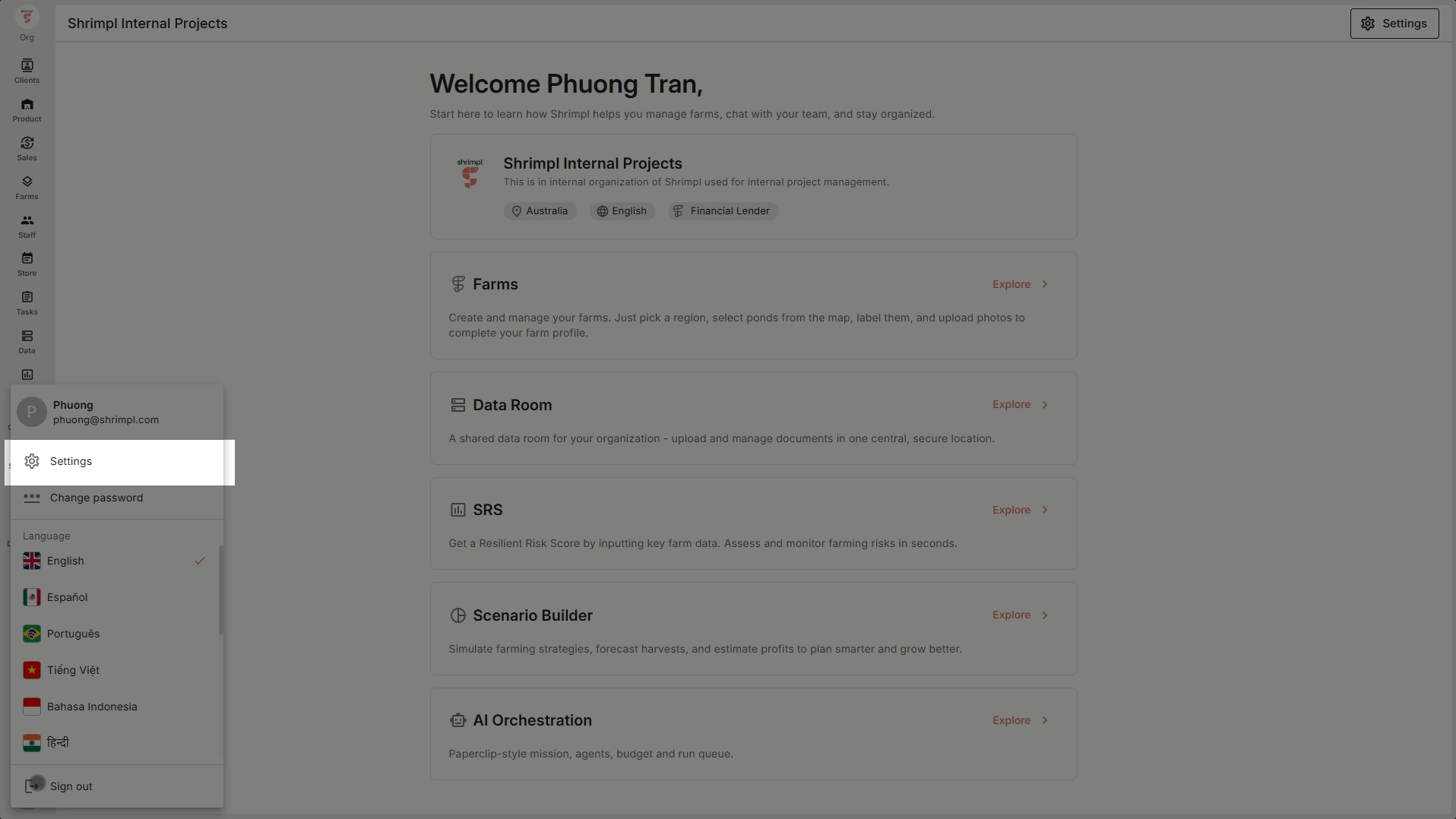
Step 2: Click Profile Settings from the main menu.
 

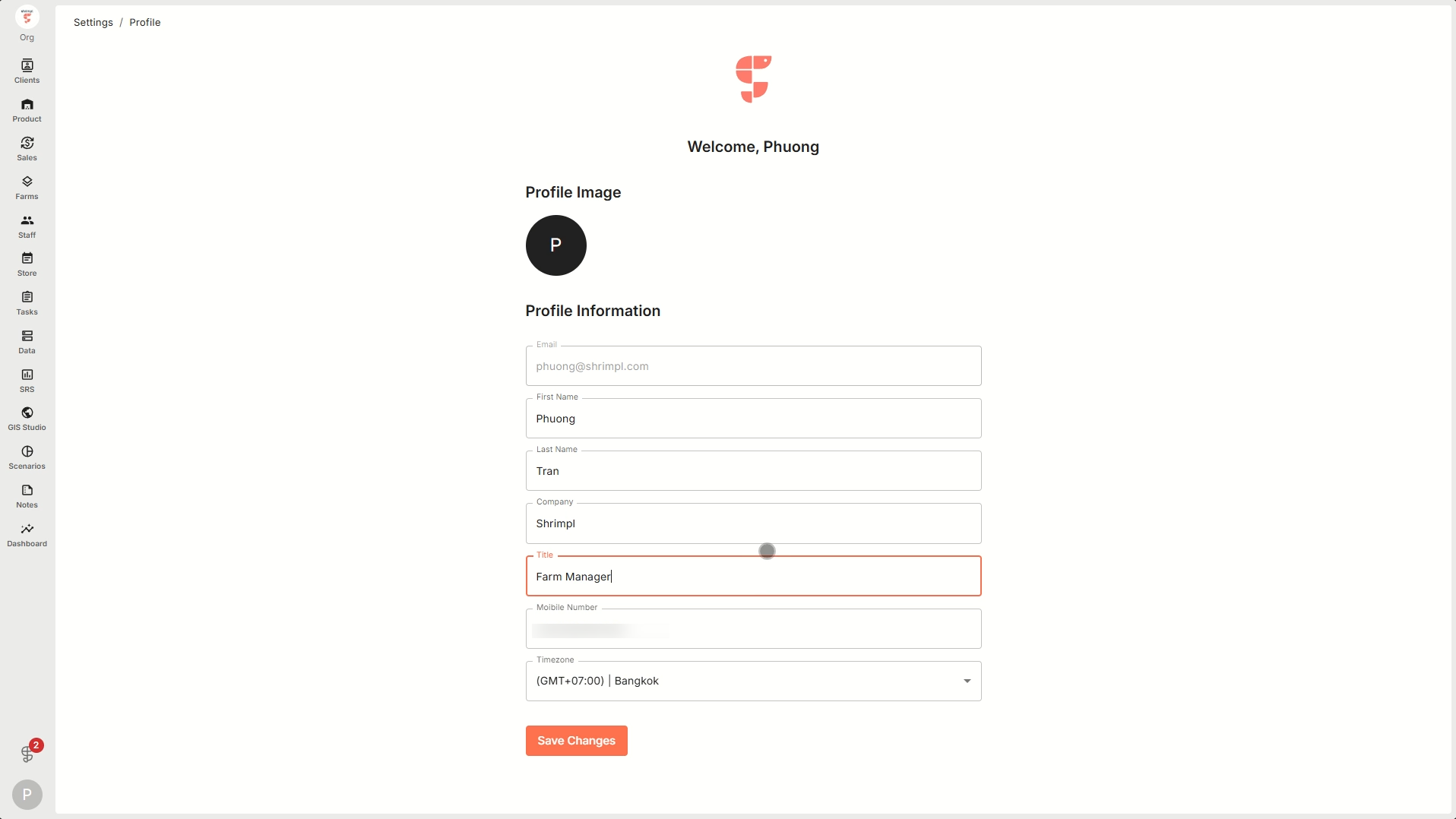
Step 3: Edit your information in the profile fields. Make any necessary changes.
 

Step 4: Hit Save Changes. Look for the confirmation message at the bottom right that lets you know your profile update was successful.
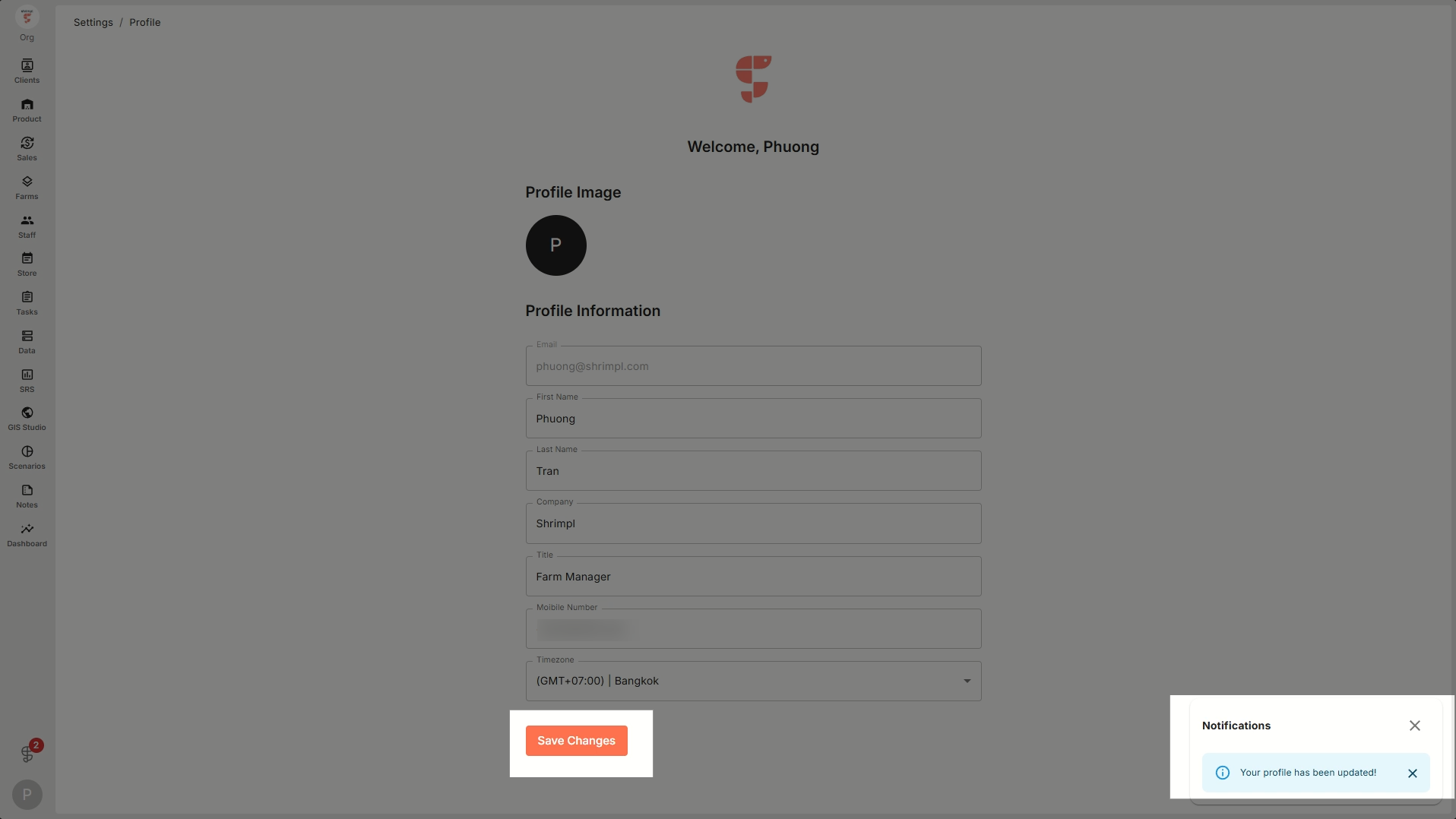
 

Keeping your profile updated means your account always reflects your most recent info. If you see the confirmation, you’re all set!

✍️ Account Settings

Related Articles

  • How to Discover & Join an Organization
  • How to Create a New Organization
  • How to Invite Members to an Organization
  • Switch Language

Categories

  • 11✍️ Account Settings
  • 1✨ Getting Started
  • 2💼 Client Management
  • 2📁 Farm Data
  • 2📝 Task Management
  • 2🛡️Shrimpl Resiliency Score (SRS)
  • 6🦐 Farm Management

Most Viewed

  • Use this website 110
  • How to Sign up with Phone number 37
  • How to Log in with Email account 37
  • How do I change my password? 28
  • What should I do when I forgot my password? 28

Most Liked

  • Use this website 3
  • How to Log in with Phone Number 1
  • How to Discover & Join an Organization 1

Social

Article Categories

✍️ Account Settings ✨ Getting Started 💼 Client Management 📁 Farm Data 📝 Task Management 🛡️Shrimpl Resiliency Score (SRS) 🦐 Farm Management
Shrimpl Pte Ltd, All rights reserved