
Understanding the SRS Insights Console
Get an overview of your team’s workspace activity, dive into advanced data visualizations, and explore key metrics across SRS platforms. Here’s how to navigate these features for more insightful analysis.
Step 1: Start in the SRS Command Center. Check the Recent Workspaces table to review workspace activity, costs, and quick actions.
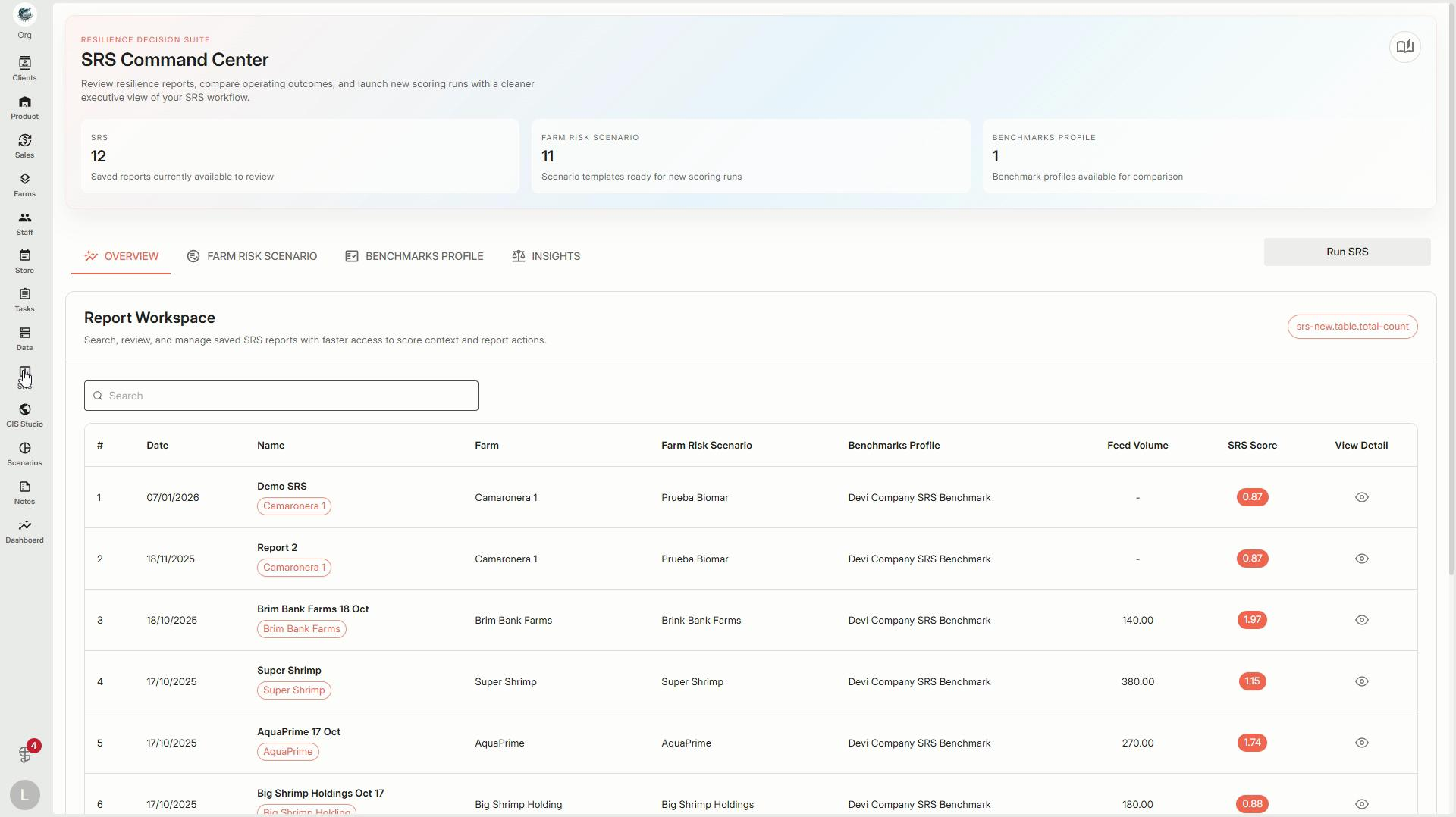
Step 2: Move to the SRS Insights Console. Here, you’ll see the Insight Workspaces scatter plot — a dynamic visualization of multiple categories. Use color-coding and filters to focus on the data that matters most.
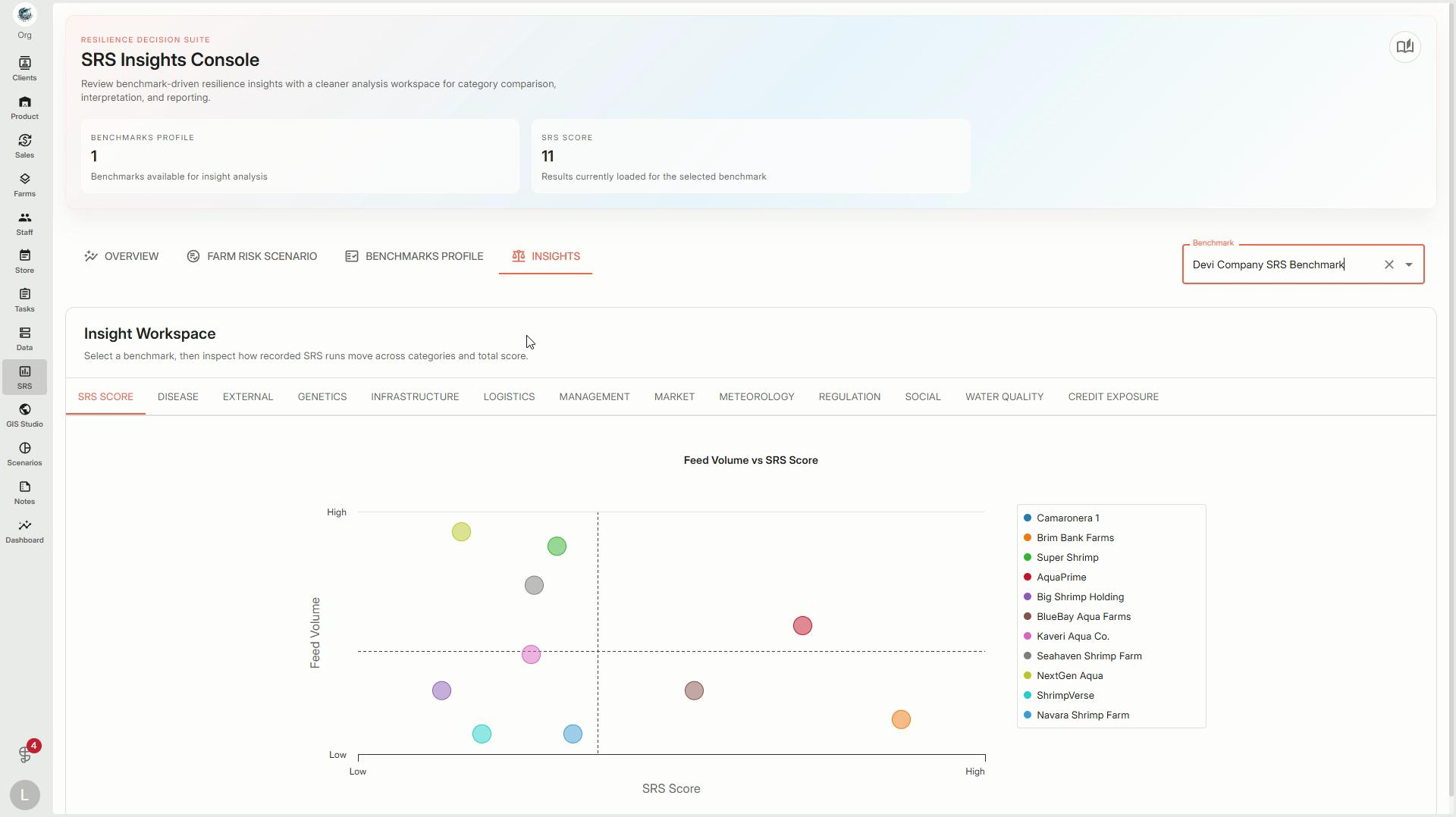
Step 3: Switch to the SRS Insights Console. Explore a similar scatter plot and watch for interactive reference lines as you hover over or select points. These guides make it easier to interpret your key SRS metrics.
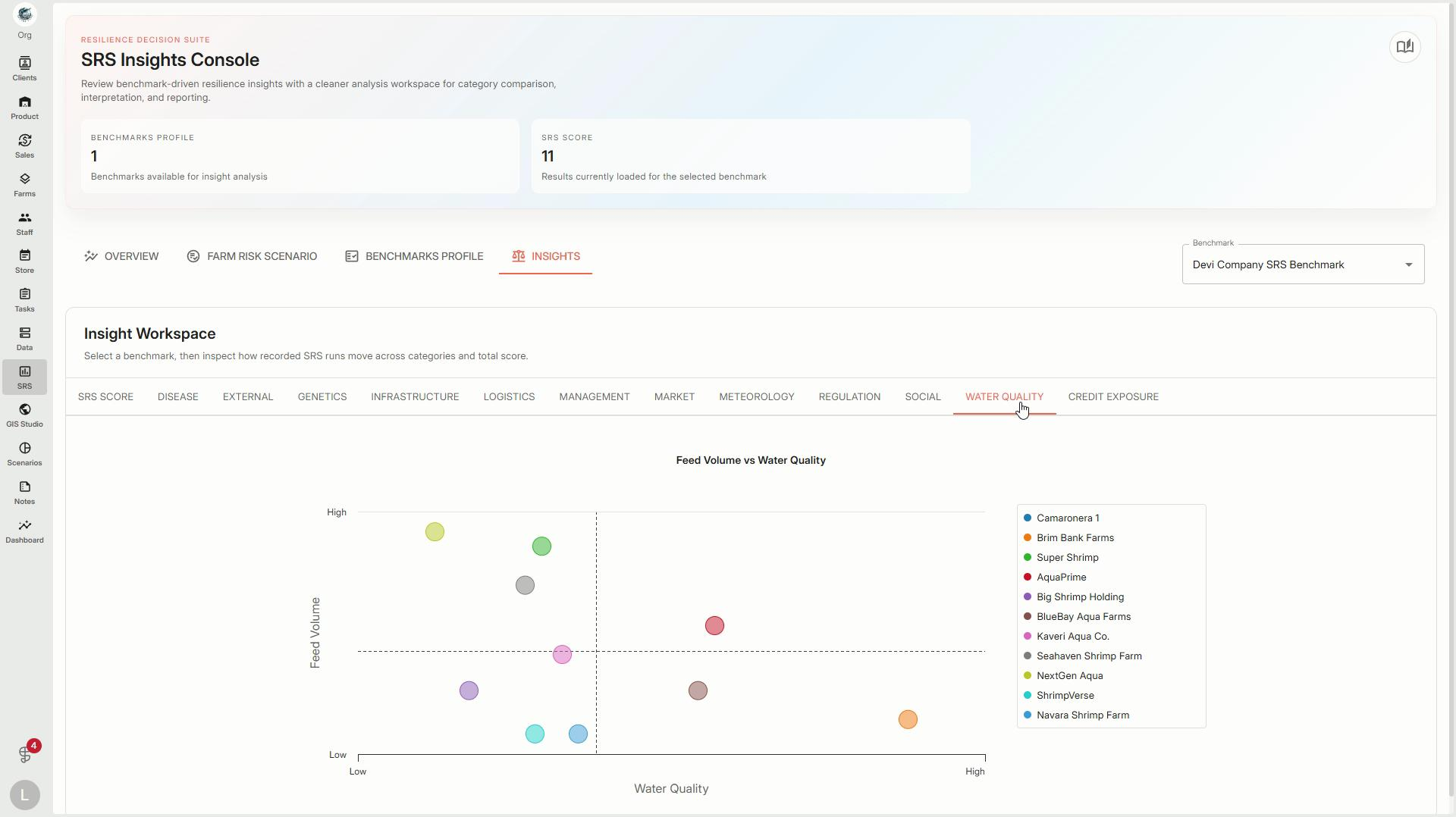
With these tools, stay informed on workspace trends and dig deeper into your most important metrics. Use visualizations and filters to guide smarter decisions and share insights with your team.