
Create a New Cycle on Shrimpl to Upload Farm Data
Starting a new cycle on Shrimpl helps you manage and monitor your farm operations efficiently. Follow these steps to set up a new cycle and keep your farm records up to date.
Step 1: Go to the Farms tab.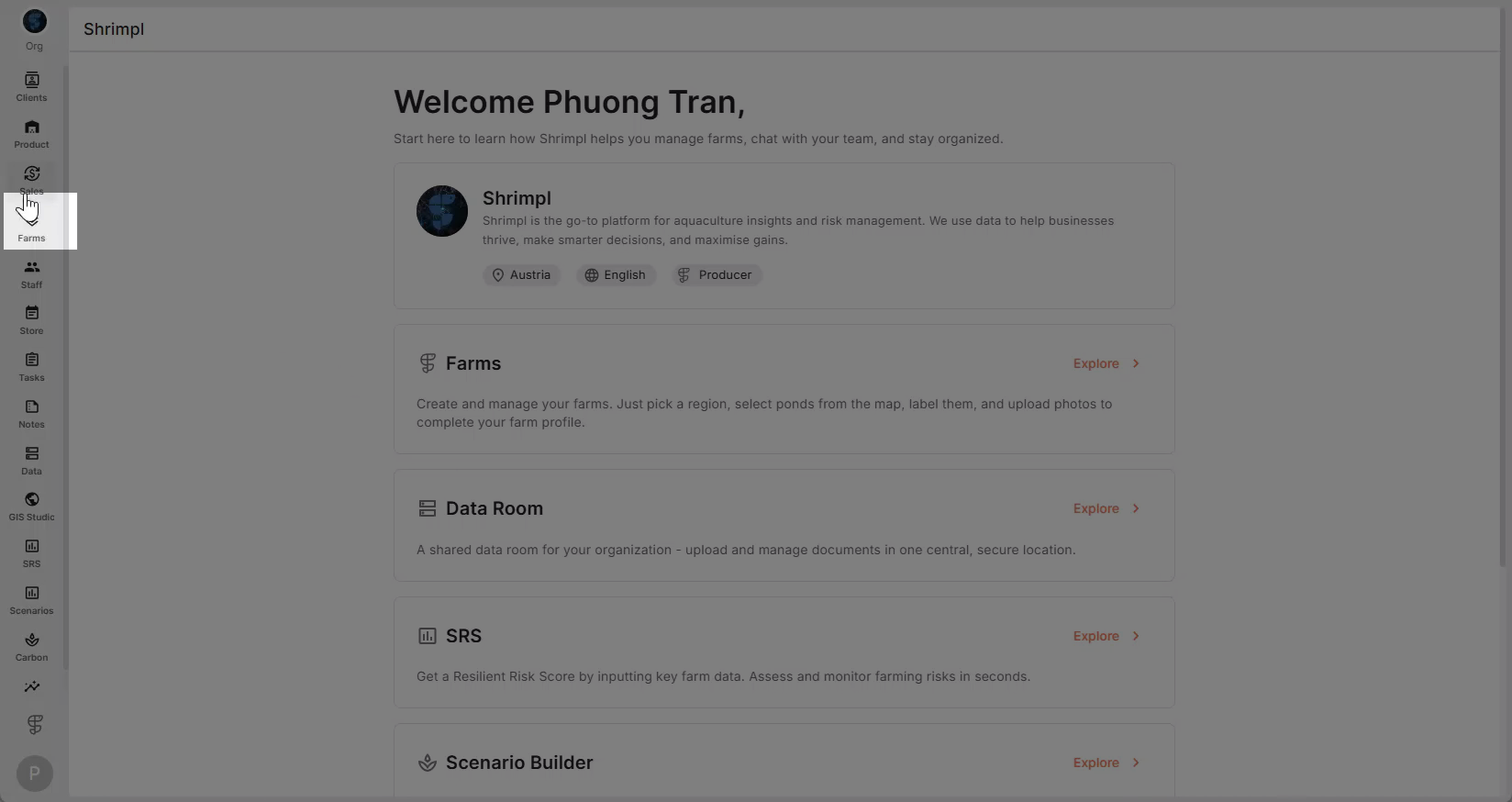
Step 2: Select your farm from the list.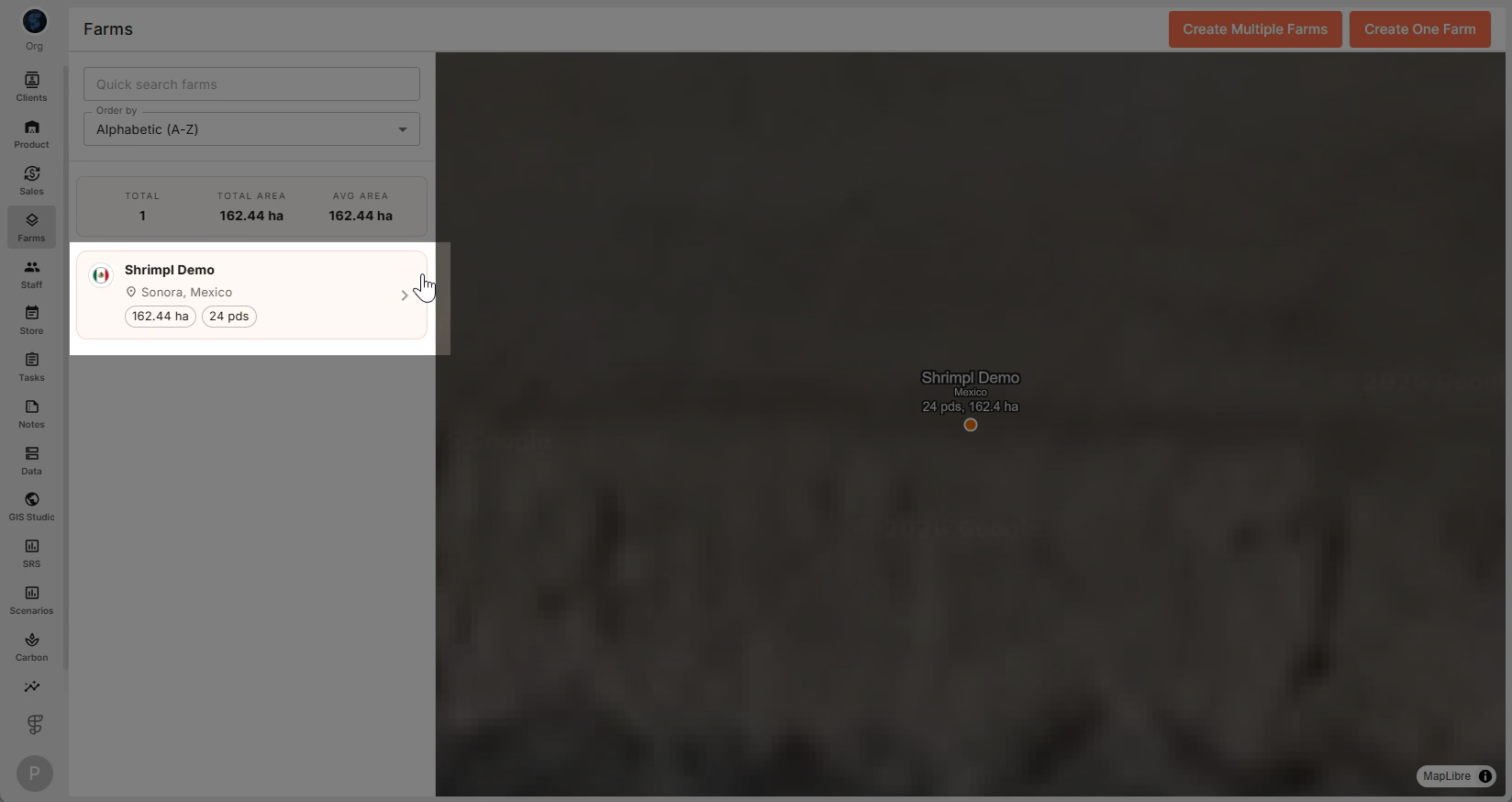
Step 3: Click the Operation tab to access farm operations.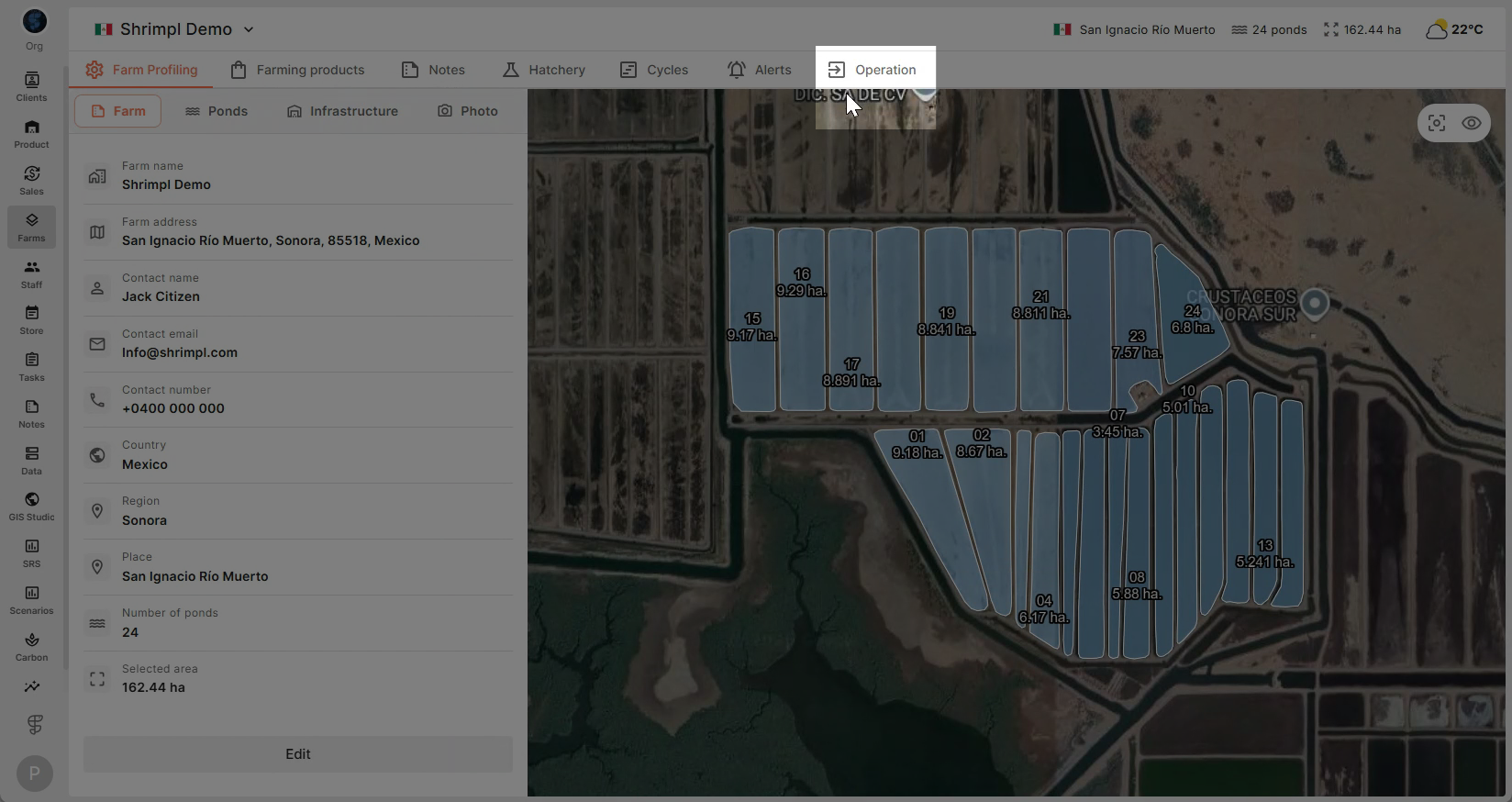
Step 4: On the farm map, pick the pond where you want to create a new cycle.
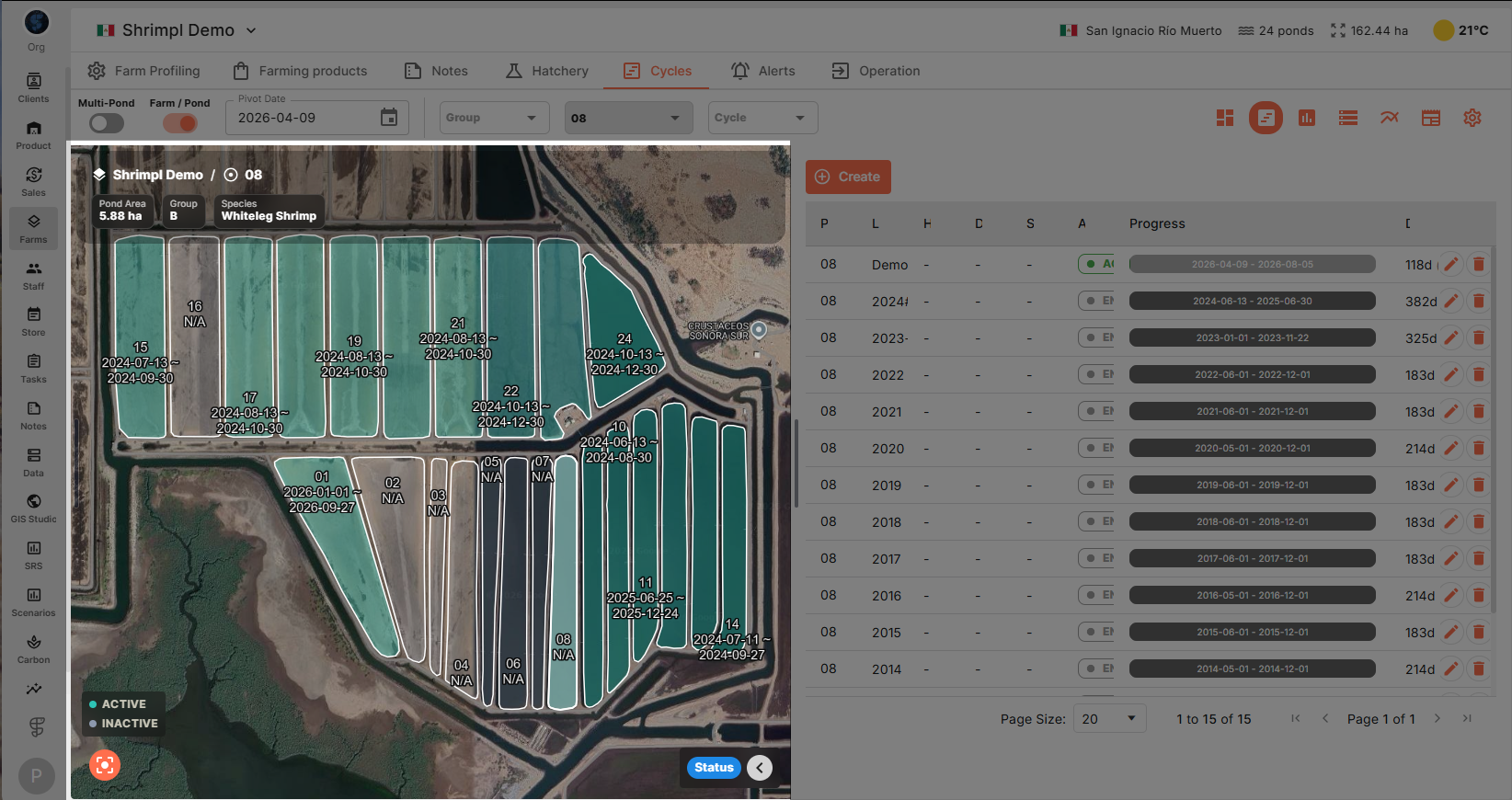
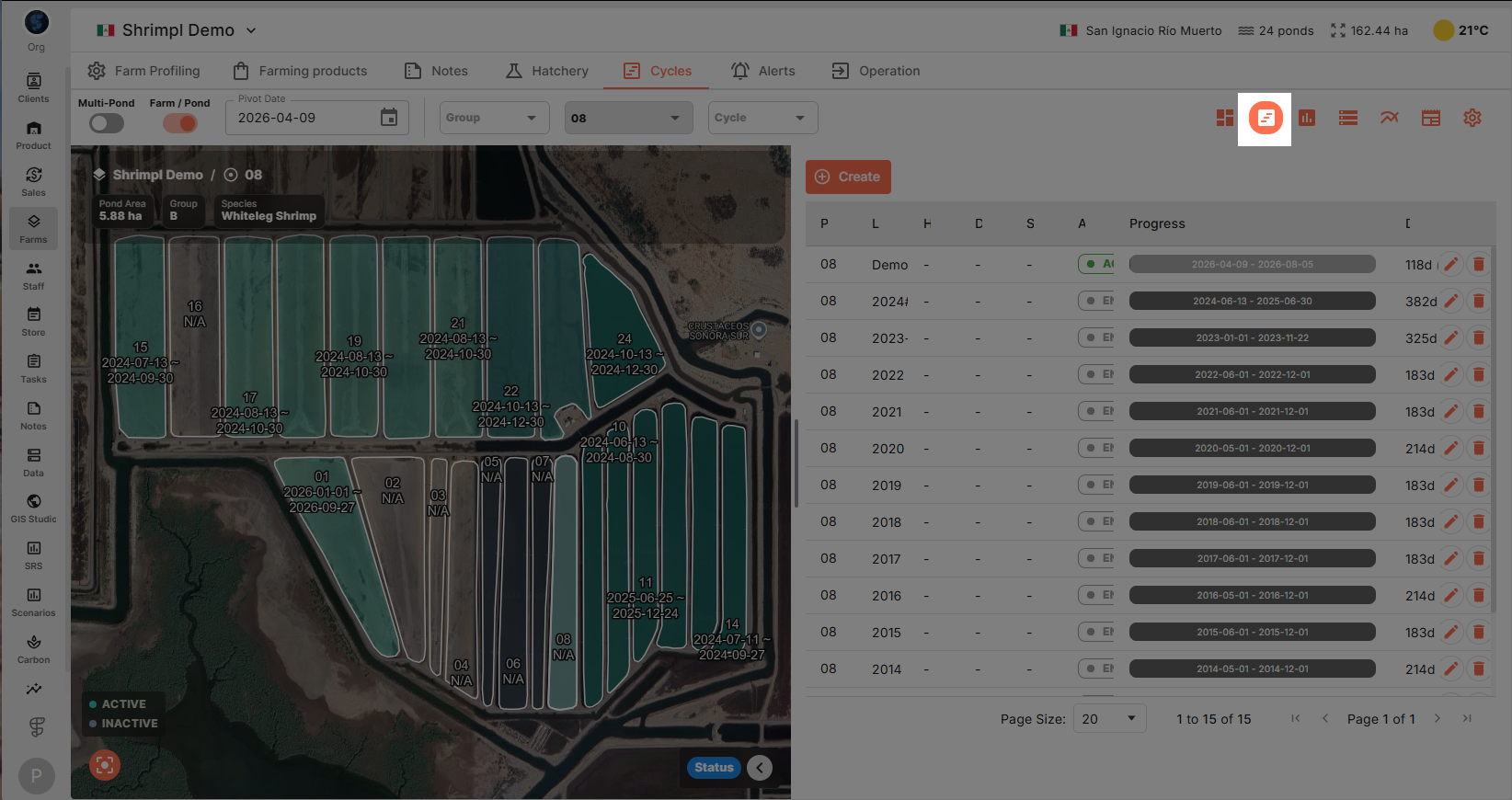
Step 5: Click the Cycles button at the top right.
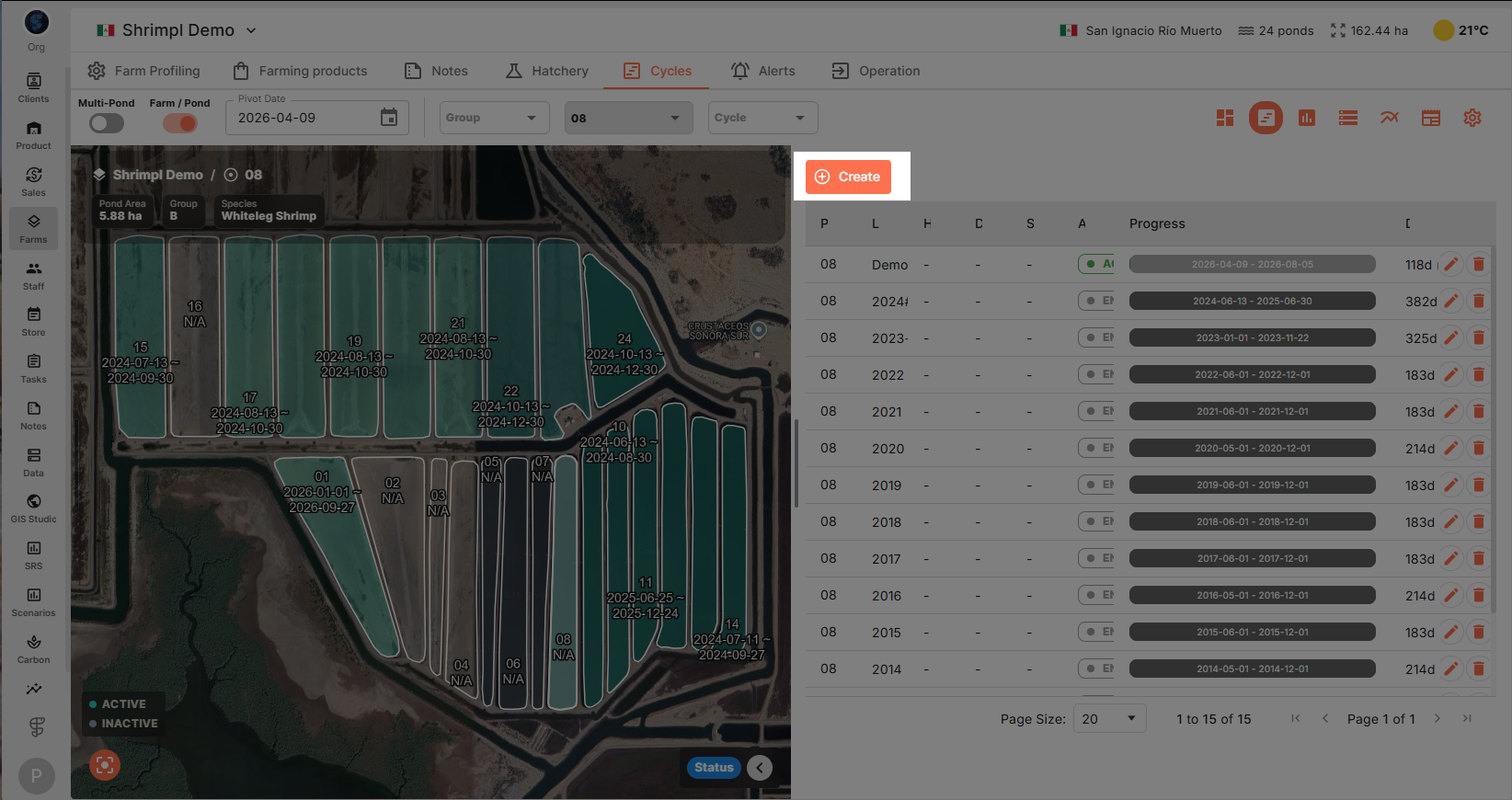
Step 6: Hit Create to start setting up your new cycle.
Step 7: Fill in the required details:
-
Cycle label
-
Seed source (from a hatchery batch or another pond suitable for multi-phase culture)
-
Seeding type
-
Start date
-
Expected end date
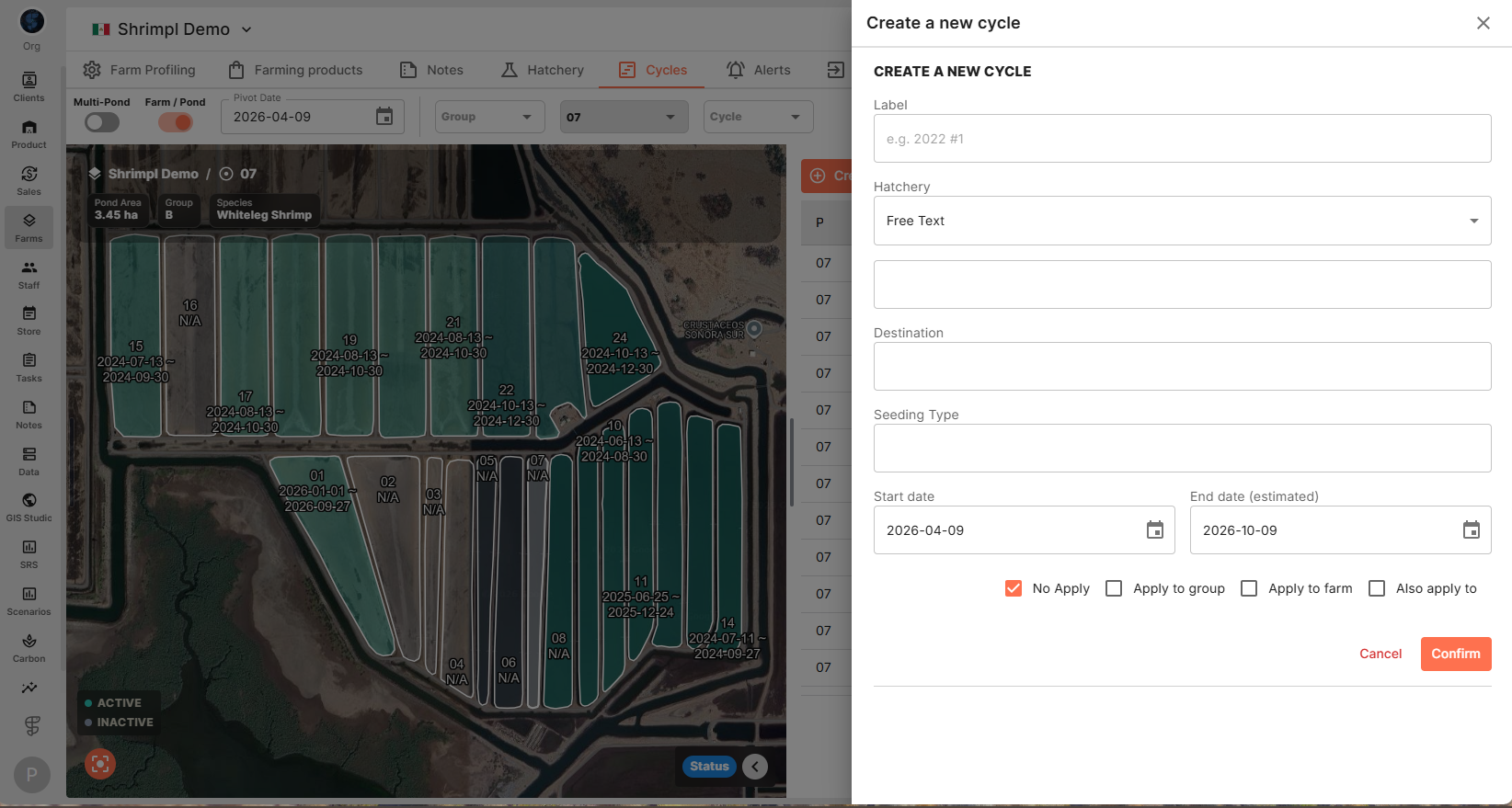
Step 8: Click Confirm to finish.
Setting up cycles ensures you track farm activities from start to finish. Use this workflow every time you start a new batch to keep your operation organized and data current.